

Accounting, billing and stock
Run your books on your own computer. Skip the monthly chase.
GST invoices, who owes you, stock, and reports your accountant can use. Runs on your own computer, works offline.
- GST readyCGST, SGST, IGST and HSN
- Offlineno internet to bill or report
- Tallybring data in, take it back out
- 9 languageson printed invoices and receipts
The product
Everything a small business runs on, in one program
Real screens from a sample company.
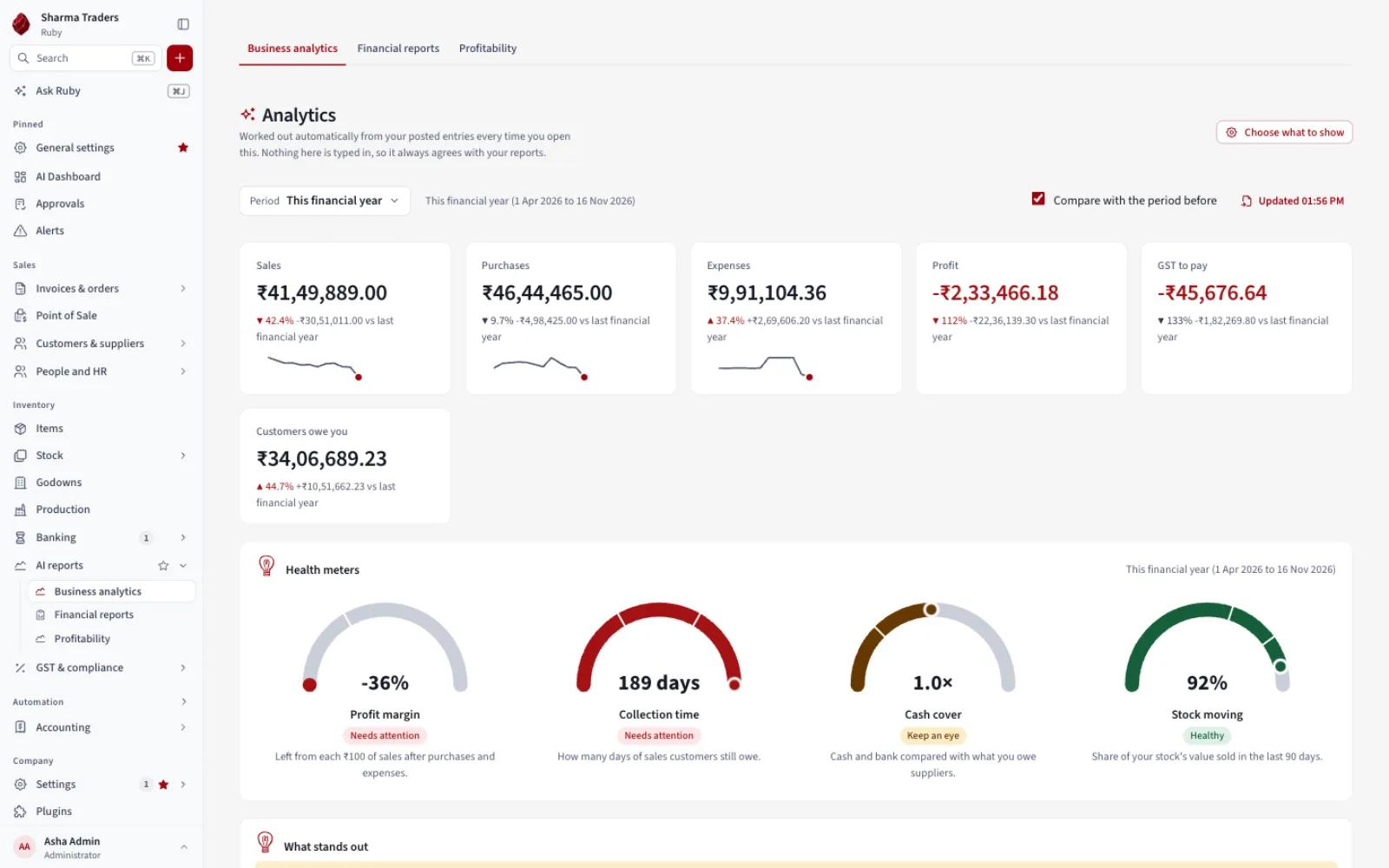
Dashboard
Start the day knowing what needs doing
Overdue bills, low stock and follow-ups, with sales, profit and cash at a glance.
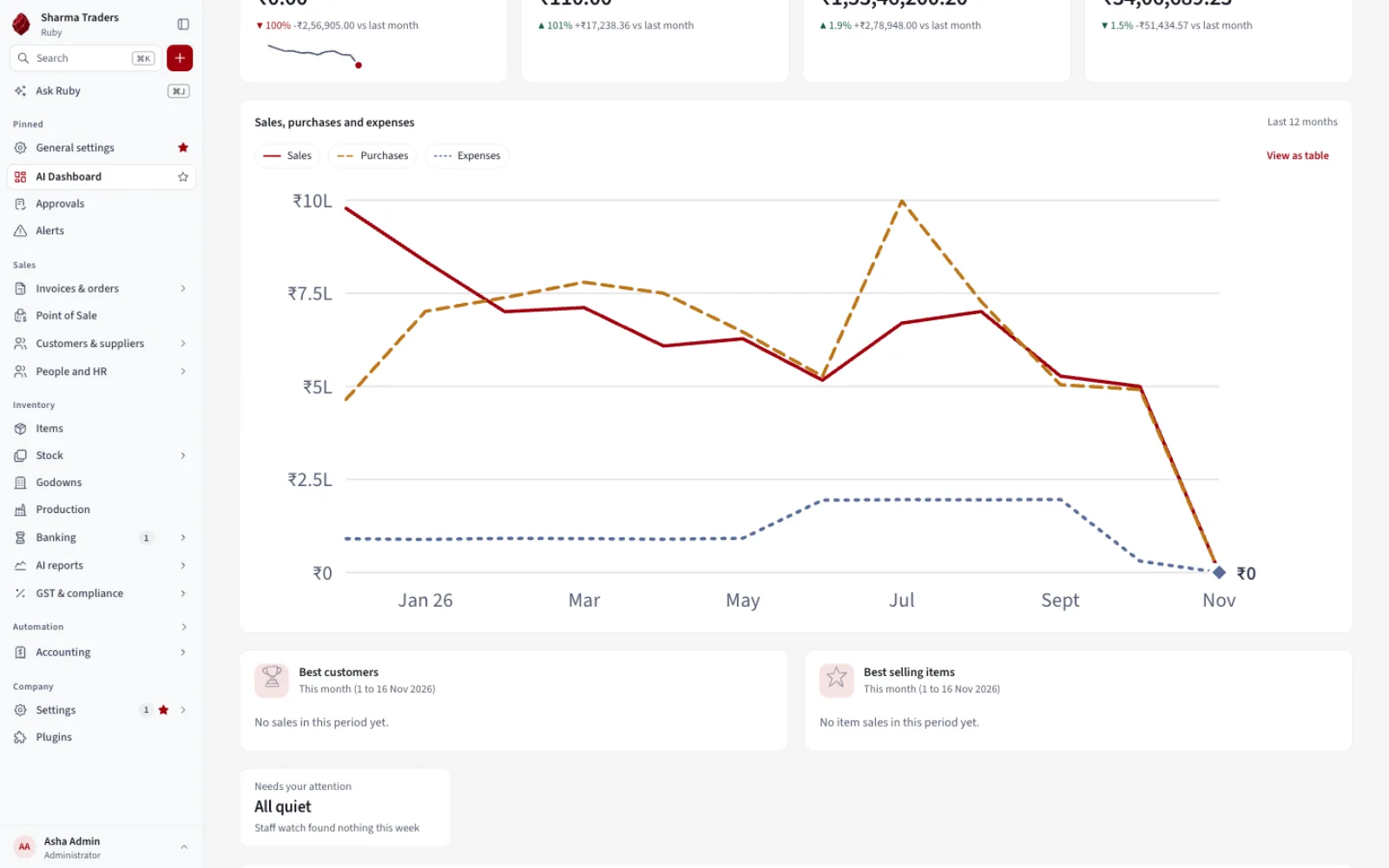
Billing
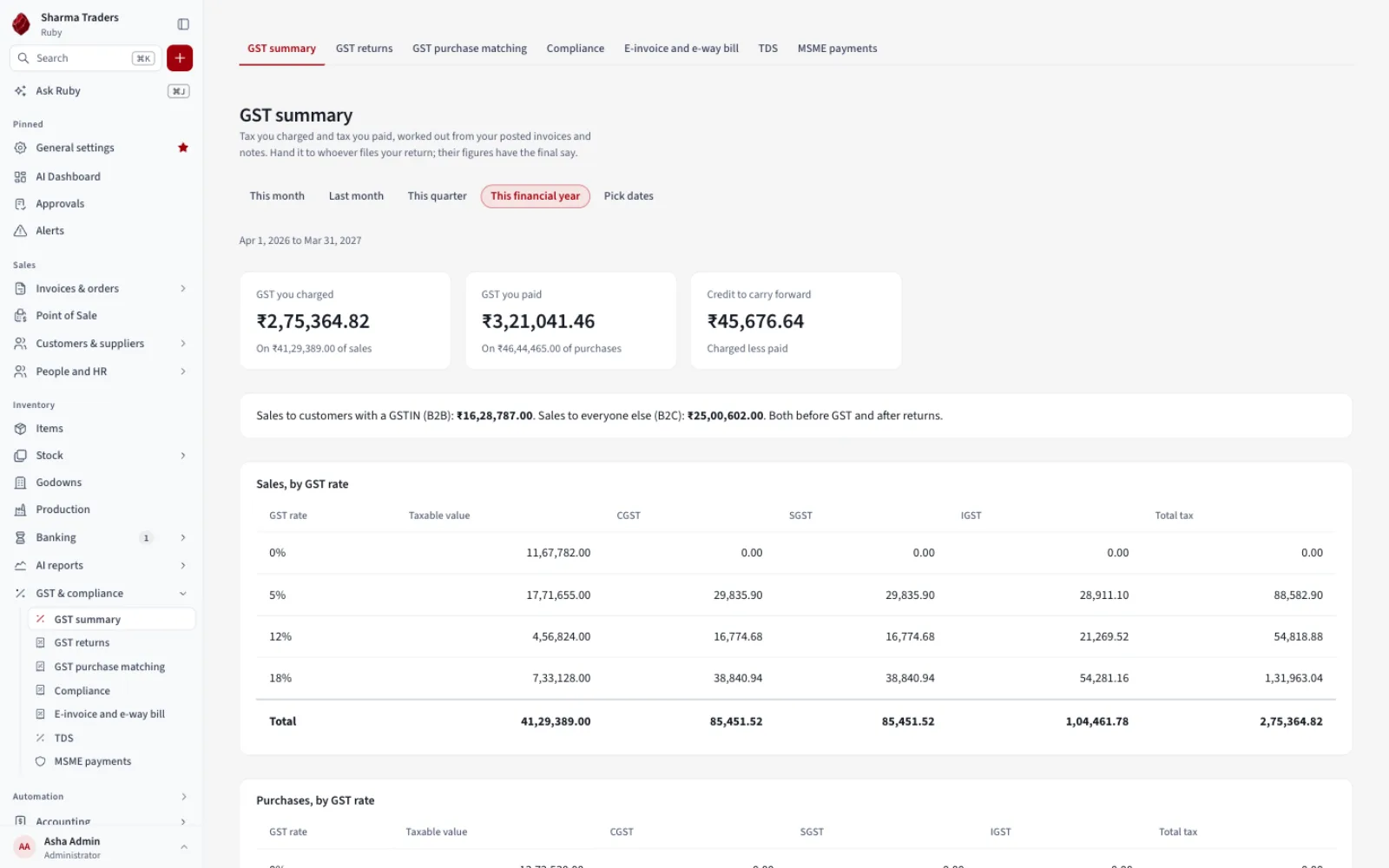
GST invoices without the arithmetic
CGST, SGST and IGST worked out for you, with credit notes and part payments.
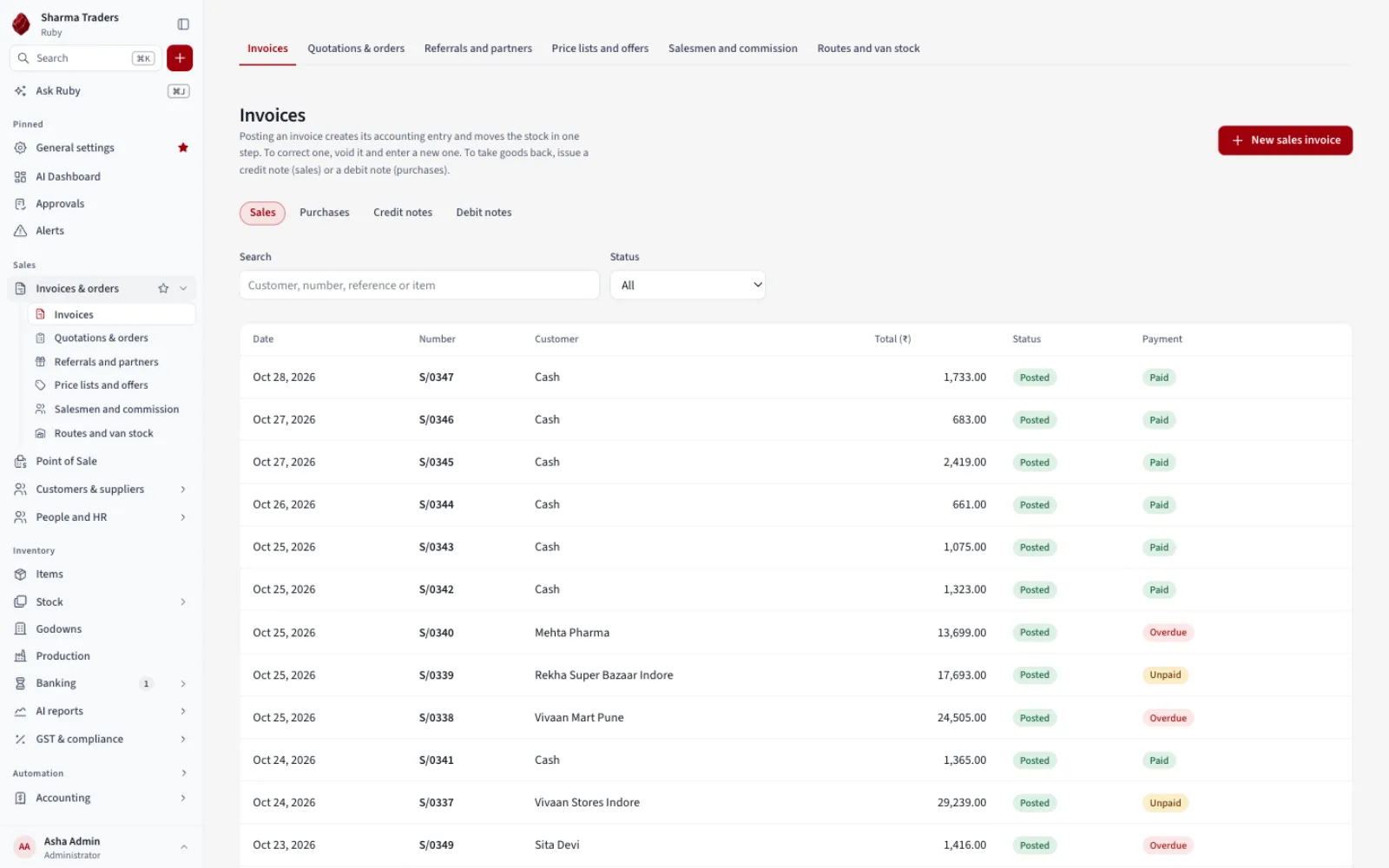
Point of Sale
A fast counter for a busy shop
Tap or scan items, take cash or UPI, print a receipt. Works offline.
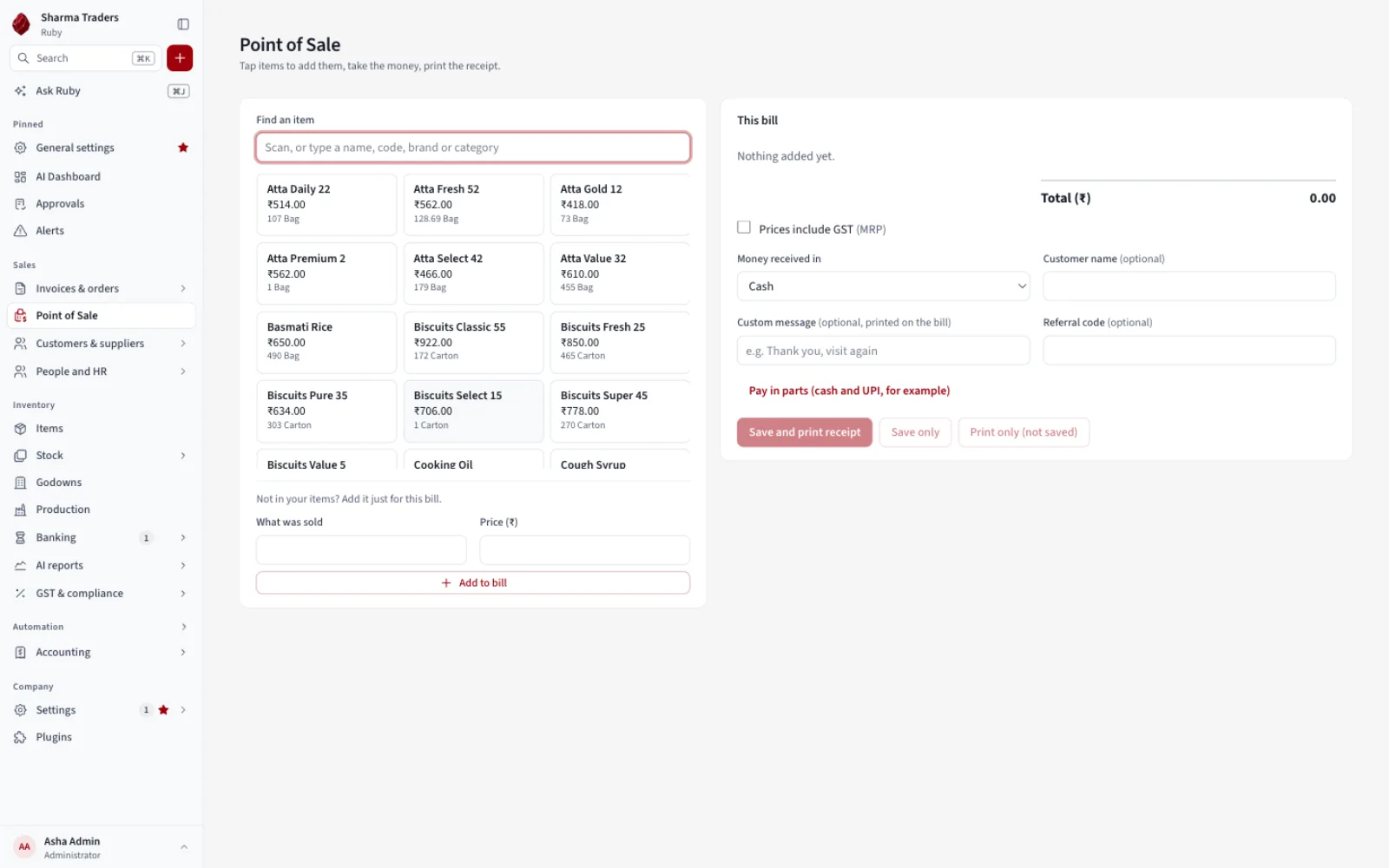
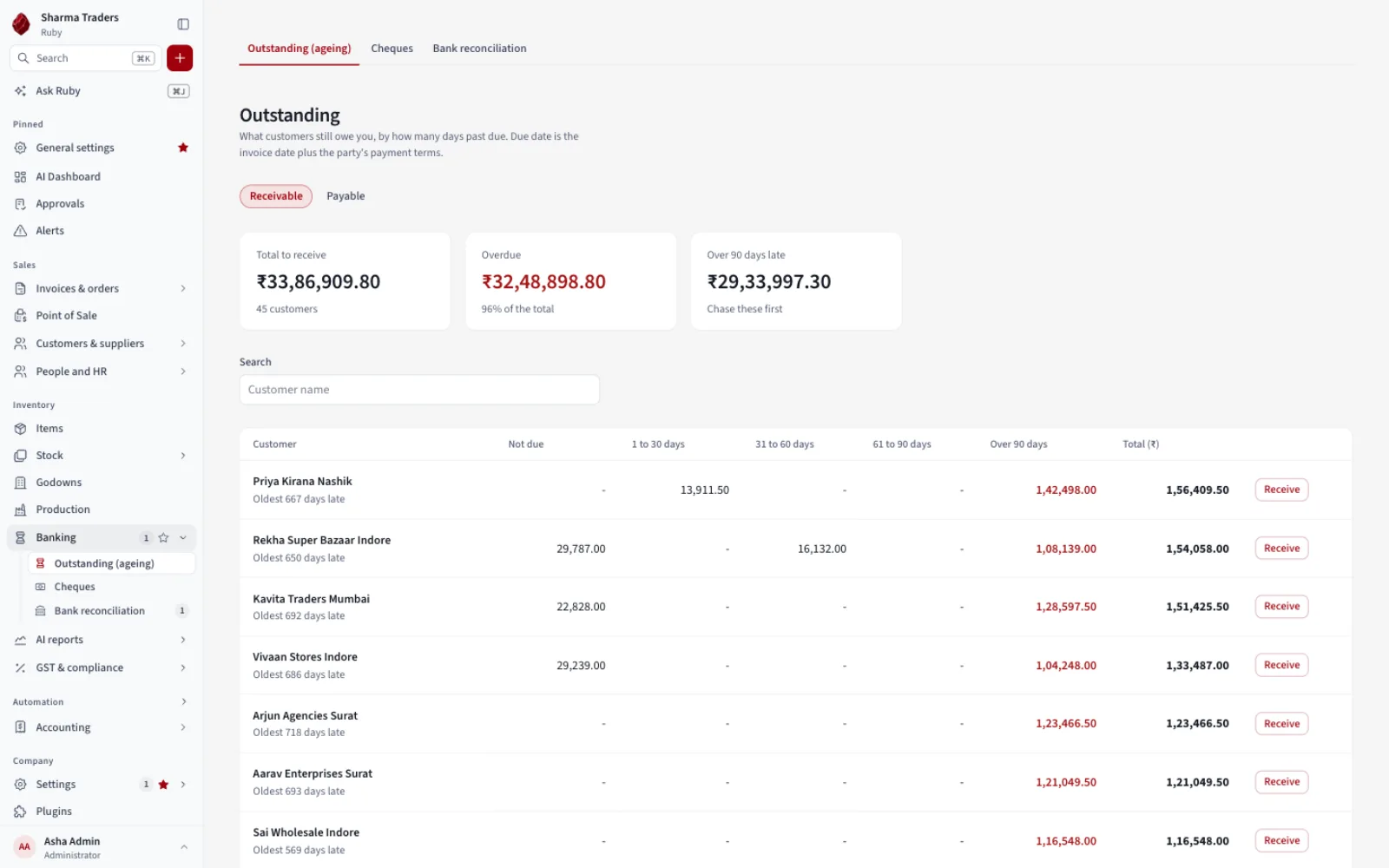
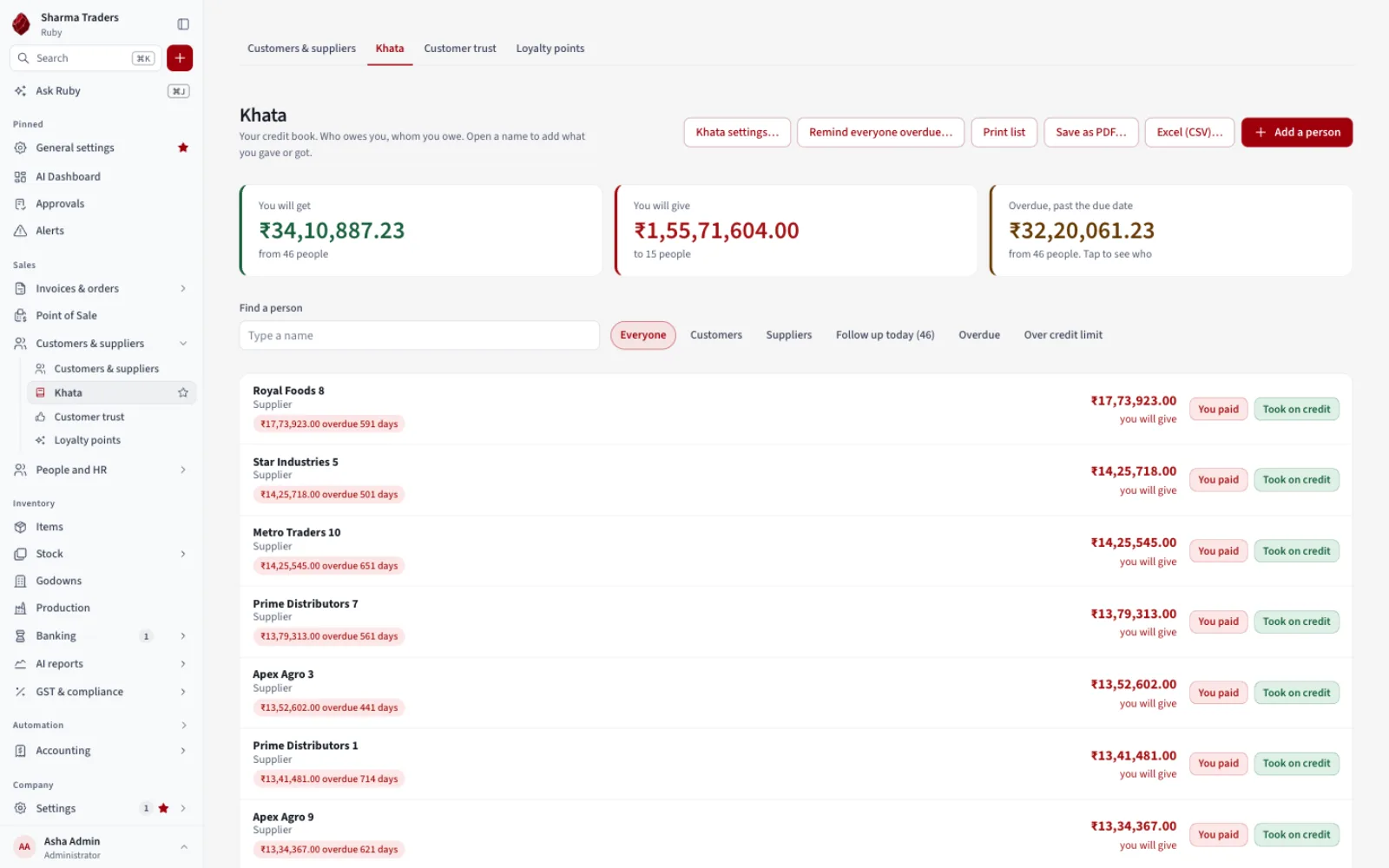
Khata and dues
Know who owes you
Balances, reminders and an ageing view that shows who to chase first.
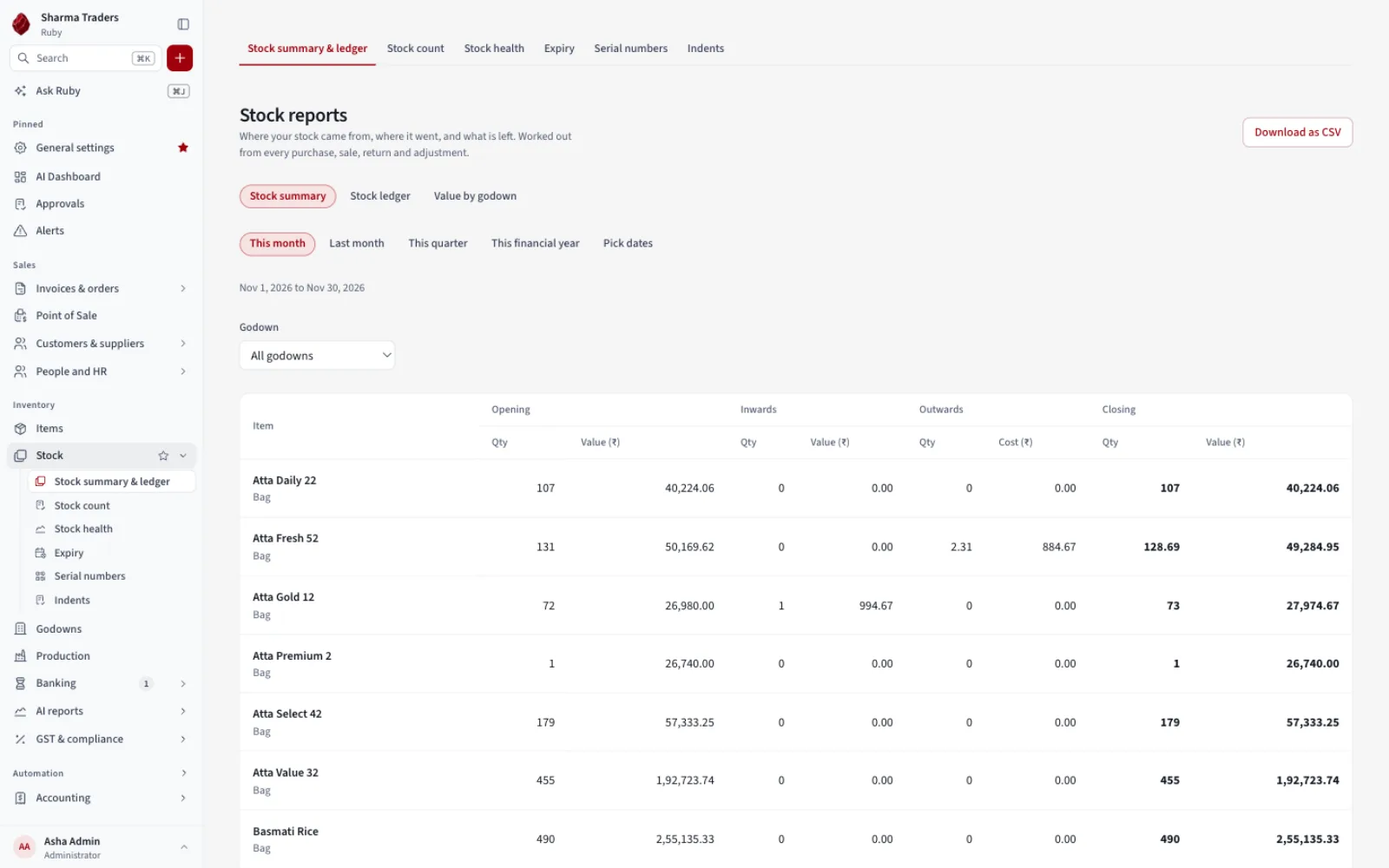
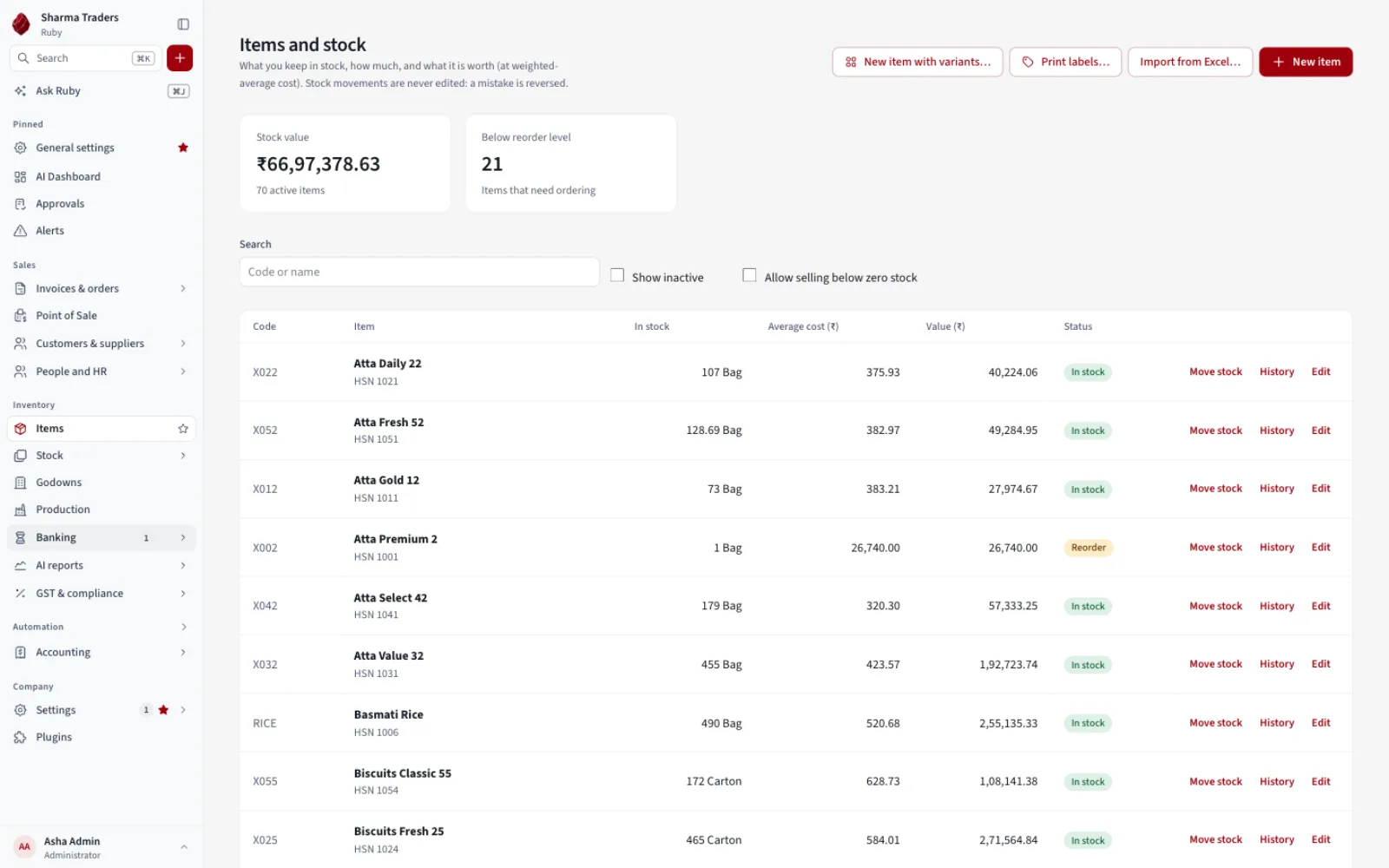
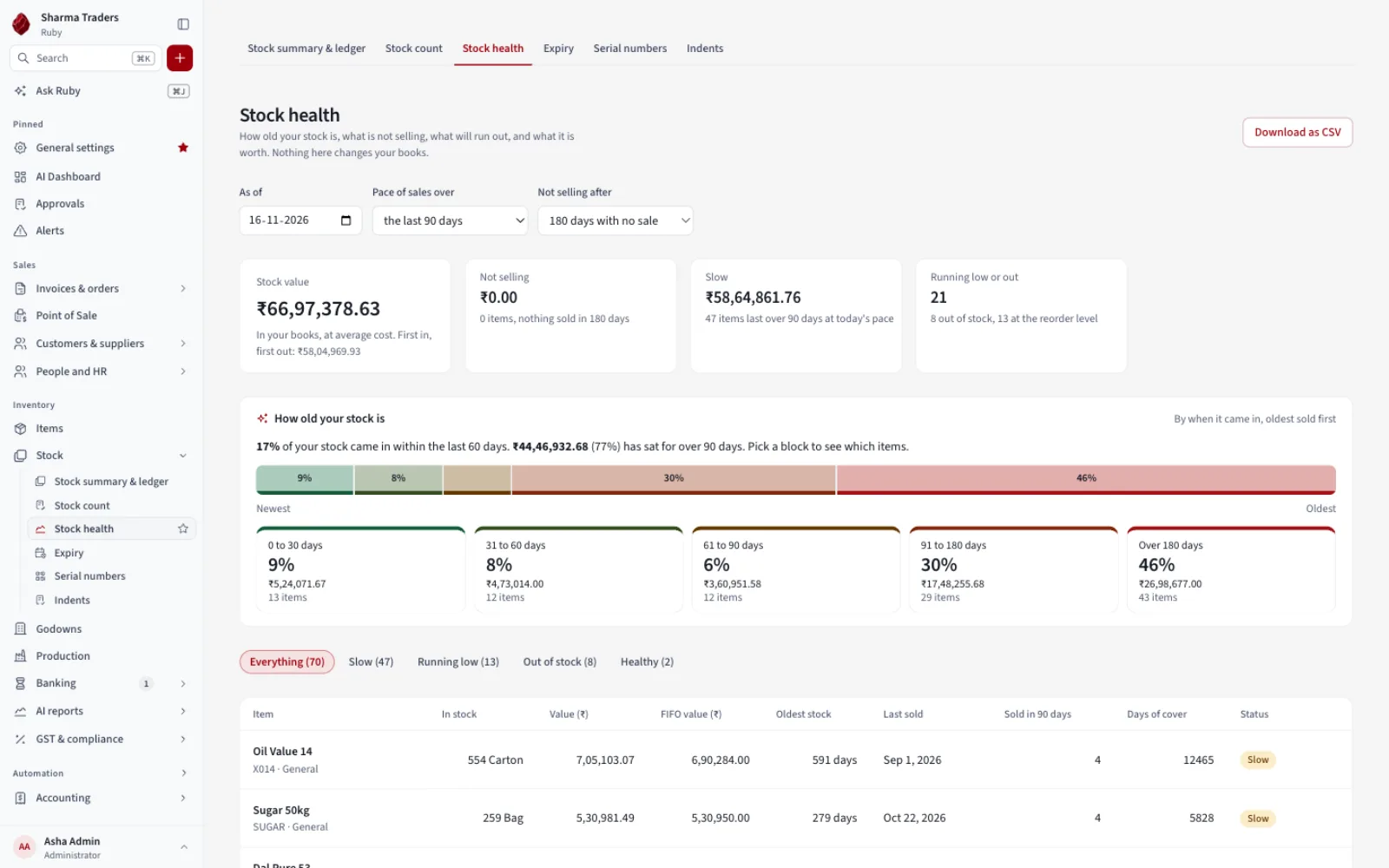
Stock
Stock you can trust
Reorder alerts, godowns, transfers and a stock count that posts only the differences.
Reports
See what makes money
Profit, collection time, cash cover and stock moving, with margins by customer or item.
Ask Ruby
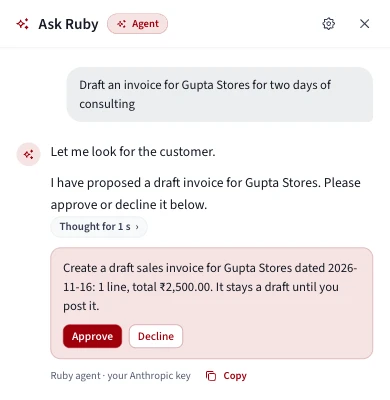
Just tell Ruby what you want. It prepares the entry.
Tell Ruby what you want in plain words. It prepares the draft and you press Approve. Nothing is saved until you do.
- Say it. “Draft an invoice for Gupta Stores for two days of consulting.”
- Ruby does the legwork. It looks up the party, builds the bill and adds up the total.
- You approve. One click, or Decline and nothing changes.
- Reads on its own, changes only when you approve.
- Drafts only, never posted entries.
- Off until you switch it on, and limited to your own permissions.
What it does
Built for how Indian businesses actually work
For traders, distributors, retailers and small manufacturers.
GST done properly
GST summary in Basic. GSTR-1 and 3B papers, 2B matching and e-invoice files in Pro.
Khata and reminders
Balances and polite WhatsApp or email reminders.
Stock and godowns
Many locations, barcodes, variants, batch and expiry.
Bank reconciliation
Import a statement and match it in one click.
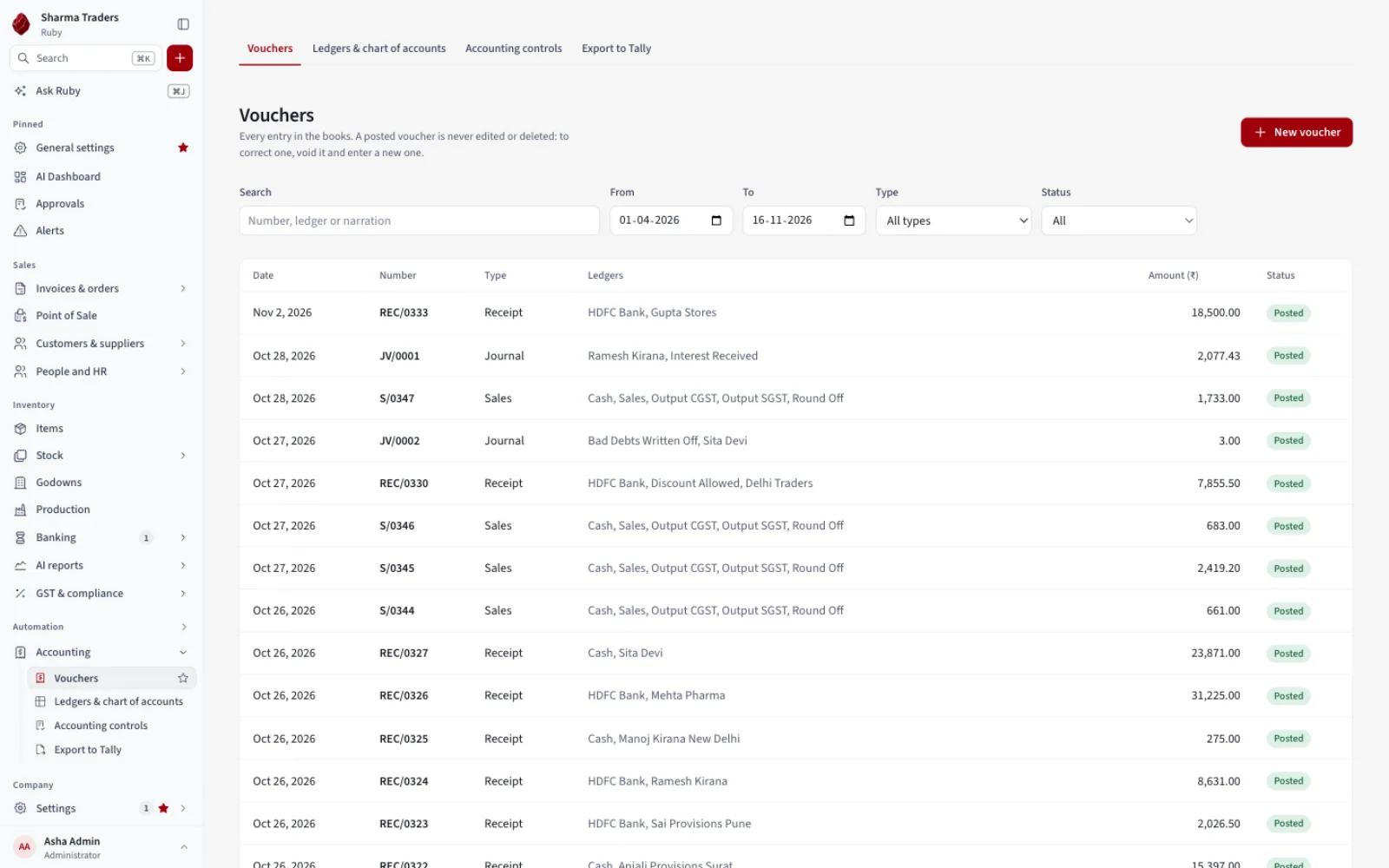
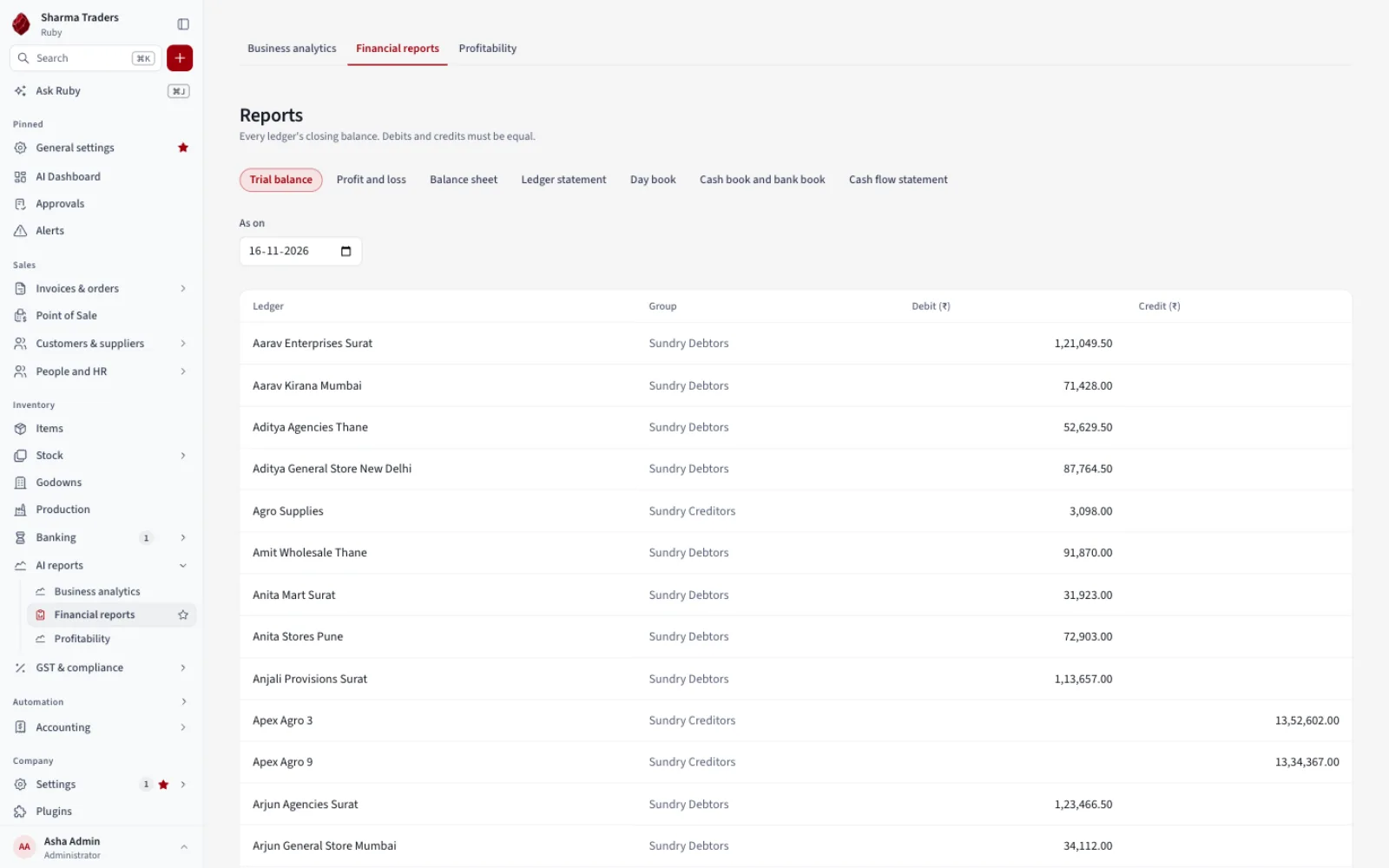
Accountant-grade reports
Trial balance, profit and loss, balance sheet, day book.
People and payroll
Attendance, leave and payroll with payslips (Pro).
Approvals and audit
A second person approves risky actions, and every change is logged.
Backups you control
Automatic backups to your own cloud folder.
Move from Tally or BUSY
Import with a dry run first. Export back any time.
More screens
See more of Ruby
GST, Khata, items, stock health, vouchers and reports.
Plugins
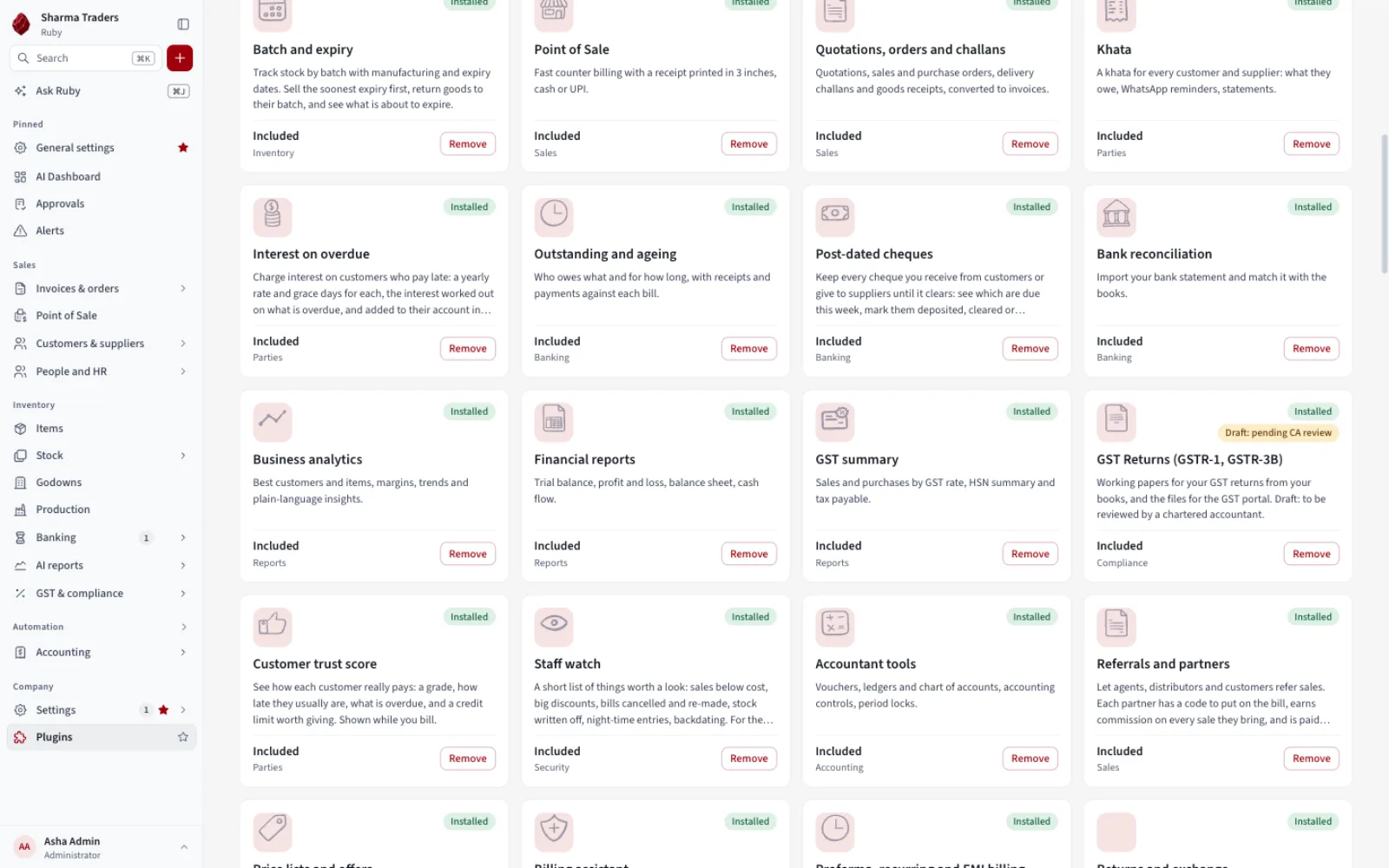
Add only what you need
Ruby starts small. Switch on only the features your business needs.
Control
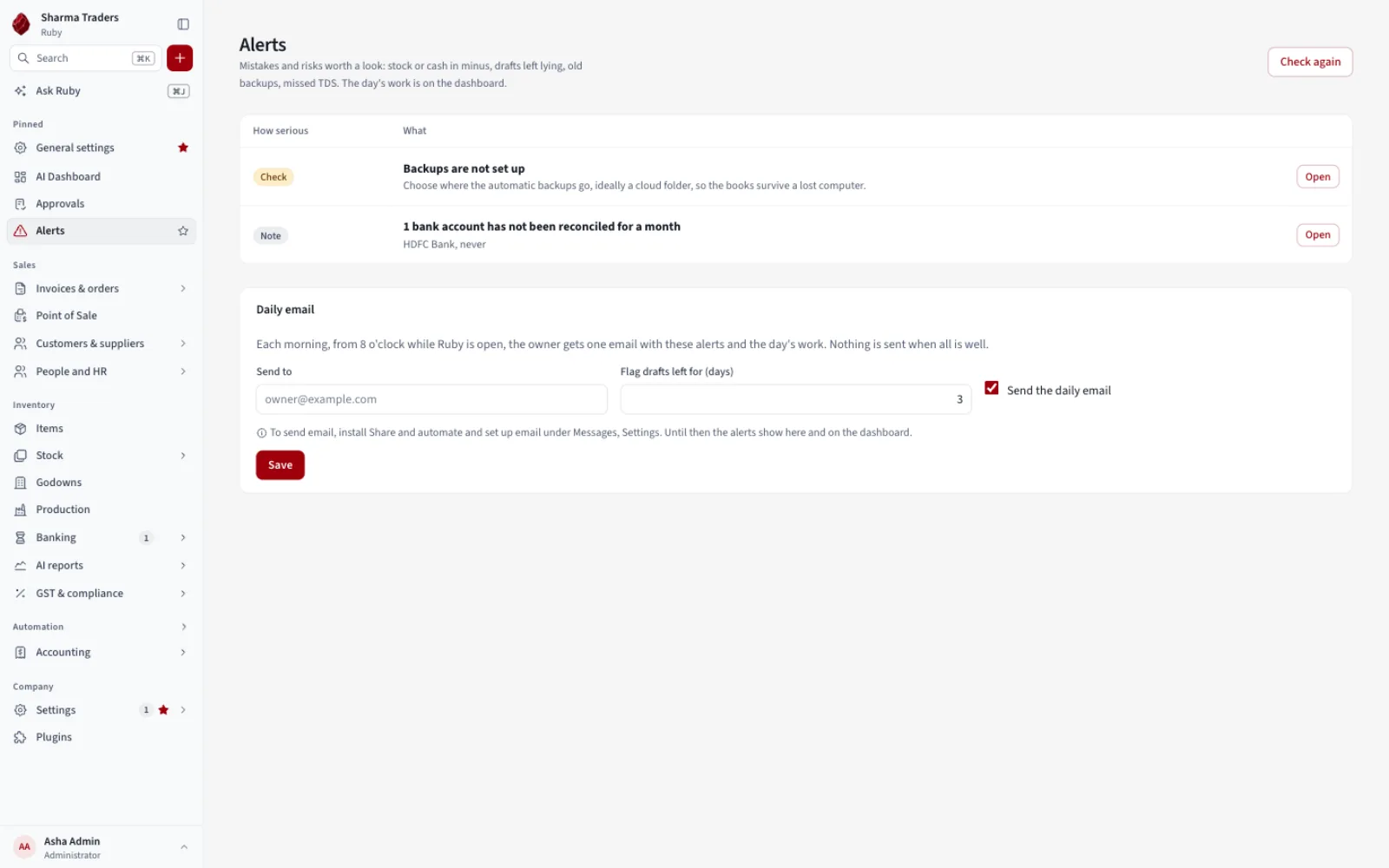
Stops mistakes before they cost you
- Strict books. Posted entries are never edited. Mistakes are reversed.
- Approvals. Big payments and discounts wait for a second person.
- Audit log and alerts. Who did what, plus warnings for low stock and old backups.
Moving in
Switch from Tally or BUSY in an afternoon
Bring in your books
Import ledgers, balances, stock and vouchers from Tally, BUSY or Excel.
Check before anything changes
A dry run lists problems before anything changes.
Carry on, with a way back
Export to Tally whenever you need. Your data is always yours.
Plans
A yearly licence, in three sizes
Every plan has a free 14-day trial. Message us for current prices.
Basic
A shop moving off paper
Billing, Khata, stock, Point of Sale, reports and GST summary.
1 user, 1 company
Standard
A trader or distributor moving from Tally or BUSY
Everything in Basic plus orders, godowns, barcodes, bank reconciliation, TDS, WhatsApp and email, regional languages and Export to Tally.
3 users, 2 companies
Pro
A business with staff, partners or heavy GST work
Everything, including HR and payroll, GST returns, e-invoice and every future plugin.
10 users, 5 companies
Download
Get Ruby
Free to download. You need a licence file, and we send a 14-day trial one on request.
Read the Ruby user guide · Ask for a trial licence
First time opening it?
Your computer asks you to confirm Ruby once. This is normal and takes a minute.
On a Mac
- Click the Apple menu, then About This Mac. If it says Apple M1, M2, M3 or M4, download the Apple chip file. If it says Intel, download the Intel file.
- Open the .dmg and drag Ruby into Applications.
- Open Ruby. If your Mac says it cannot check it, click Done, then open System Settings, Privacy & Security, scroll to Security and click Open Anyway.
- If it says Ruby is "damaged", the file is fine. Open Terminal and paste
xattr -dr com.apple.quarantine /Applications/Ruby.app, then open Ruby again.
On Windows
- Run the .exe. If a blue box says "Windows protected your PC", click More info, then Run anyway.
- Follow the installer. Ruby appears in the Start menu.
- If there is no Run anyway button, Smart App Control is on. Open Windows Security, App & browser control, Smart App Control settings and set it to Off, then run the installer again. Or ask us to install Ruby for you on a call.
Your first 15 minutes
- Open Ruby, go to Plugins, then Install licence file and choose the file we sent you.
- Create your company and the first administrator.
- Write the recovery code on paper. It is the only way back in if every password is forgotten, and nobody can recover it for you.
- Choose a backup folder, ideally inside Google Drive, OneDrive, iCloud Drive or Dropbox.
- Bring in your data from Tally, BUSY or Excel, then make your first bill with the + button.
Why the warning, and updates
Ruby is made by a small company and is not yet signed with the paid certificates Apple and Microsoft sell, so both warn you the first time. The warning is about who published the app, not a problem in it. Each release lists a checksum so you can confirm your file is exactly the one we published.
Ruby does not update itself yet. Download a new version from this page and install it over the old one. Your companies and licence are kept, but make a backup first.
Questions
Good to know
Can I try it first?
Yes. Ask for a free 14-day trial on WhatsApp. If you do not continue, Ruby becomes read-only and your data stays yours.
Does it need the internet?
No. Billing, reports and printing work offline.
Where is my data?
On your own computer, one folder per company. Nothing is uploaded unless you back up to your own cloud folder.
What happens if I stop paying?
After a 30-day grace period Ruby becomes read-only. You can still open, report on and export everything.
Can my accountant use it?
Yes. Standard reports, GST working papers and an export that Tally can import.
Does it file my GST returns?
No. Ruby prepares working papers and portal files for you to upload. A chartered accountant should review them.
Can several computers use one company?
Not yet. Each company lives on one computer for now.
What about the AI features?
Ask Ruby answers questions and prepares drafts for you to approve. In Pro it uses your own Claude key. Bill scanning and Ruby-hosted AI are coming soon.
Which computers does it run on?
macOS 12 or newer (Apple chip and Intel) and Windows 10 or 11, 64-bit. The Mac version has had the most testing.
How is it different from Vyapar or myBillBook?
Those are billing apps. Ruby is full double-entry accounting with stock, approvals and an audit trail, offline.
Try Ruby on your own books
Ask for a free 14-day trial and we will help you bring your data across.