
A free app for writers

A quiet place to write books and poems.

Sapphire is a free writing studio for Mac, Windows and Android. Your books, poems, notes and research live in one folder on your own computer or phone. No account, nothing uploaded, nothing in the way.

PriceFreeWorksOfflineAccountNot neededVersion1.0
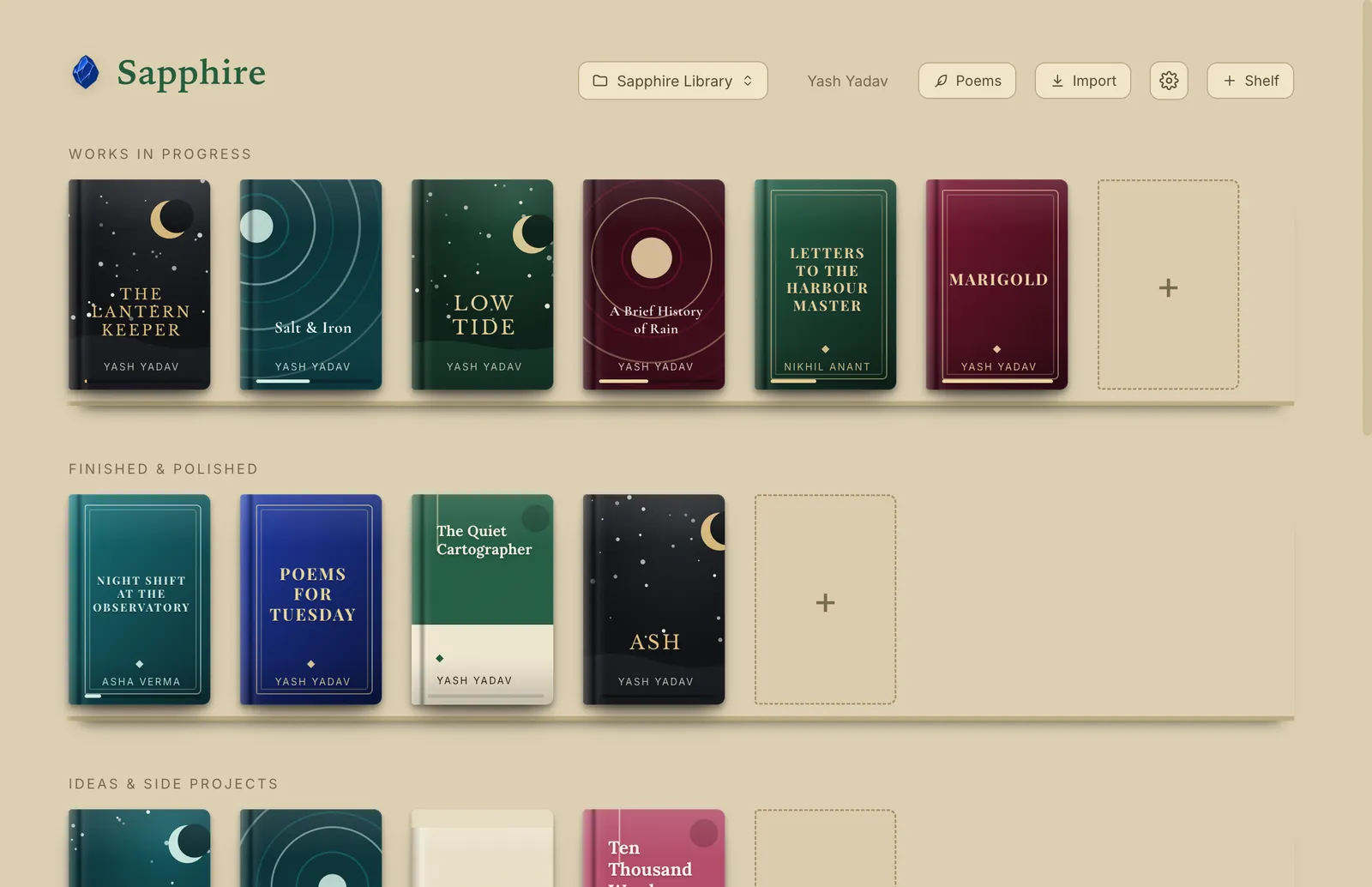
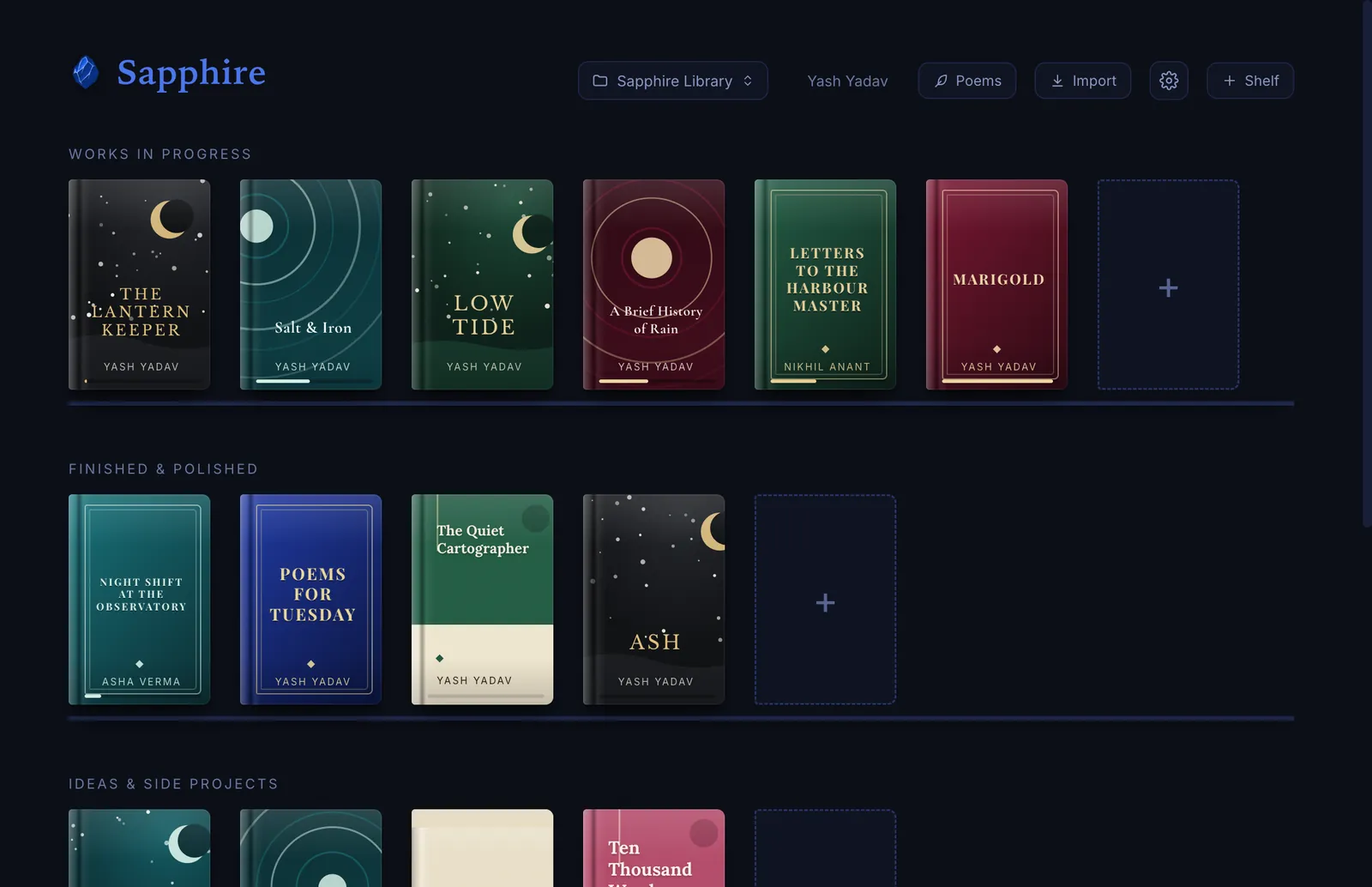
The Sapphire bookshelf: designed book covers on dark shelves, with a header for your vault, poems, import and settings.

What is inside

Everything for a book, and nothing you have to learn first

Every screen below is the real app. Click any picture to see it larger.

Write

Write the book

A blank page and a shelf to start. Everything else is one tab away.

Manuscript

A page that stays out of your way

Write in clean chapters on a page that looks like a page. Pinch or scroll to zoom it, and pick the font and theme that suit you.

  • Typewriter mode, ten built-in fonts, a zoomable page
  • Word goals and a gentle daily streak
  • Export to PDF, Word, EPUB, Markdown and plain text
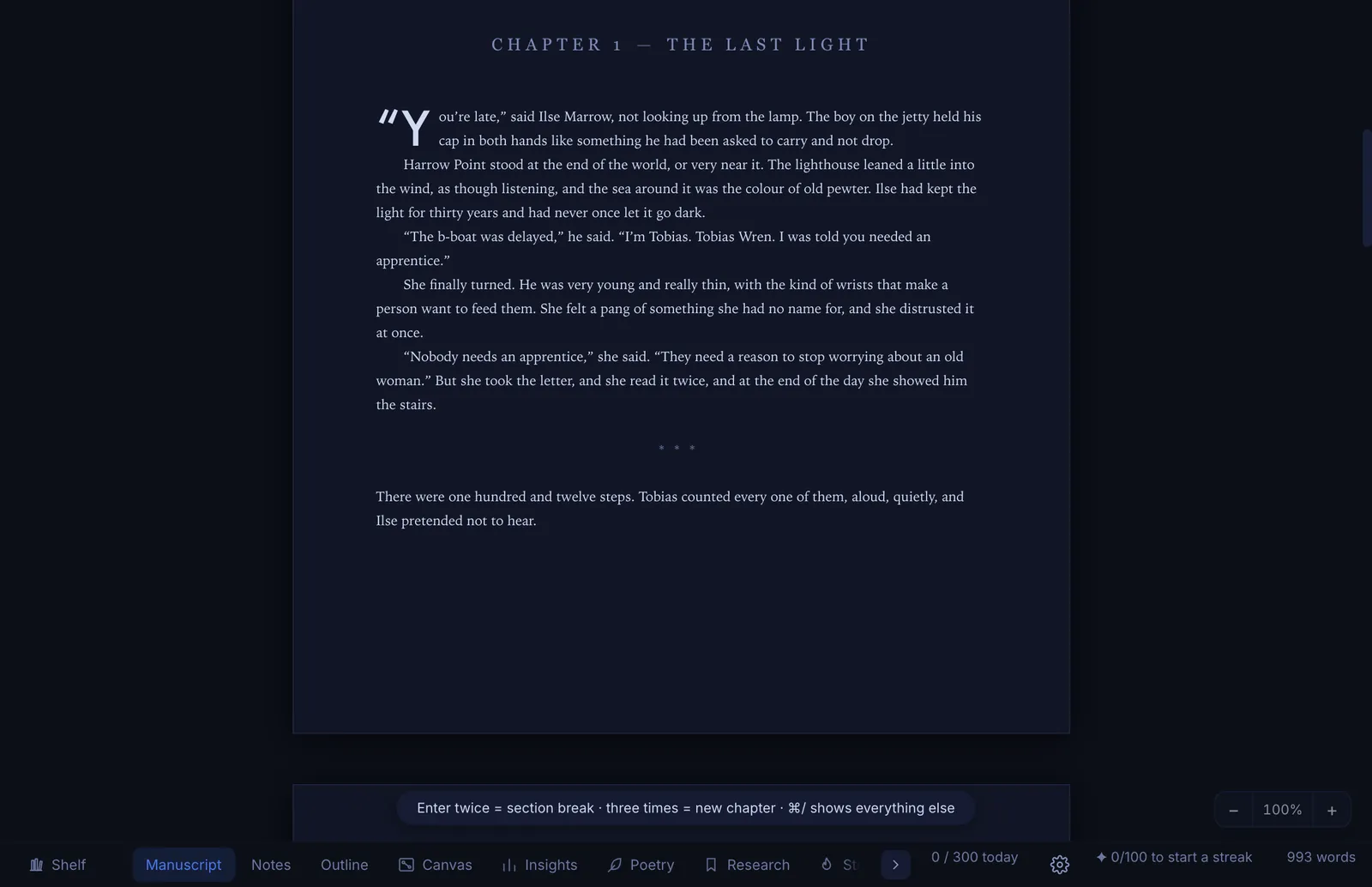
A chapter open on the Sapphire manuscript page in the dark theme

Outline and darlings

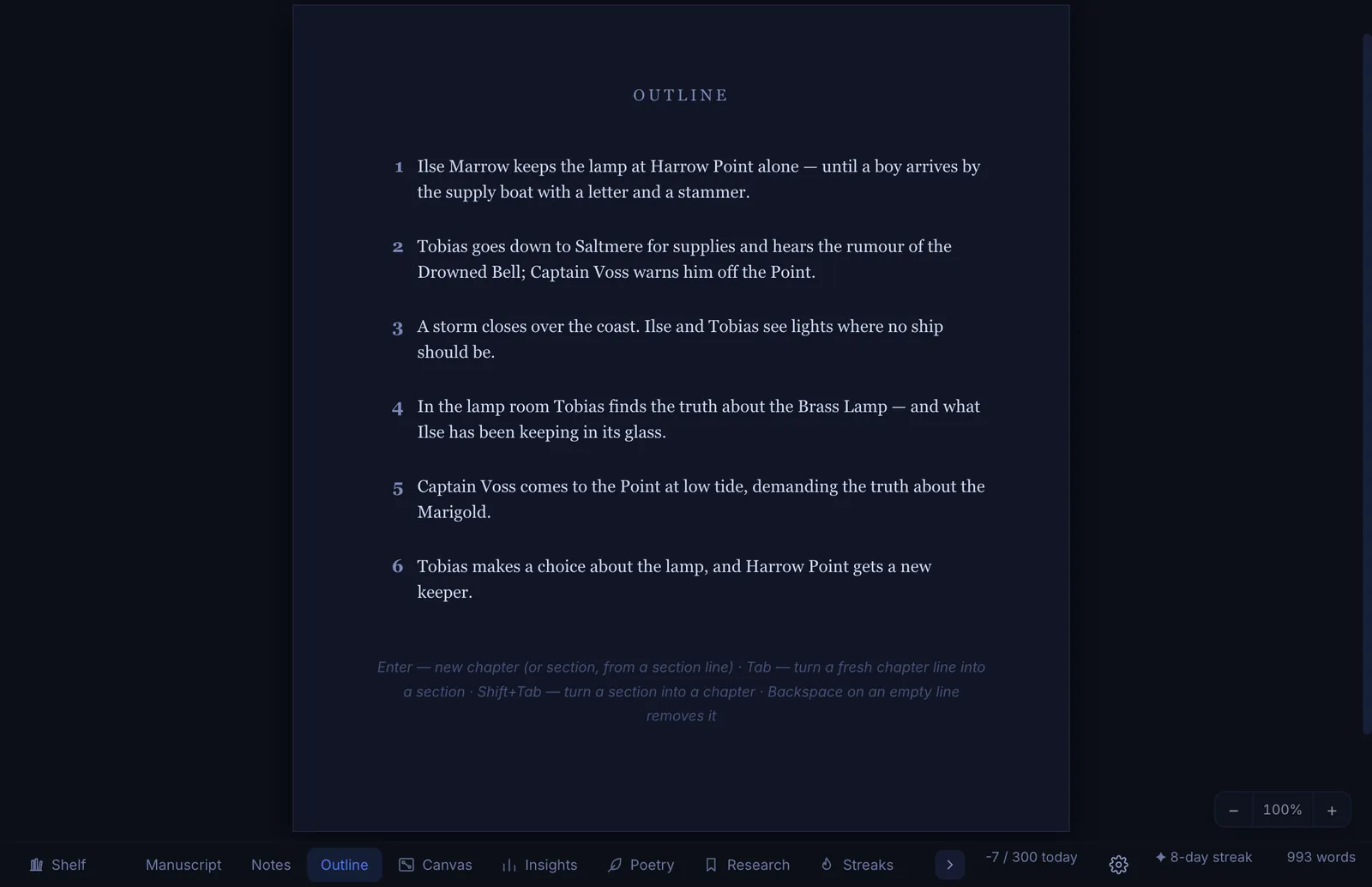
An outline that follows your chapters

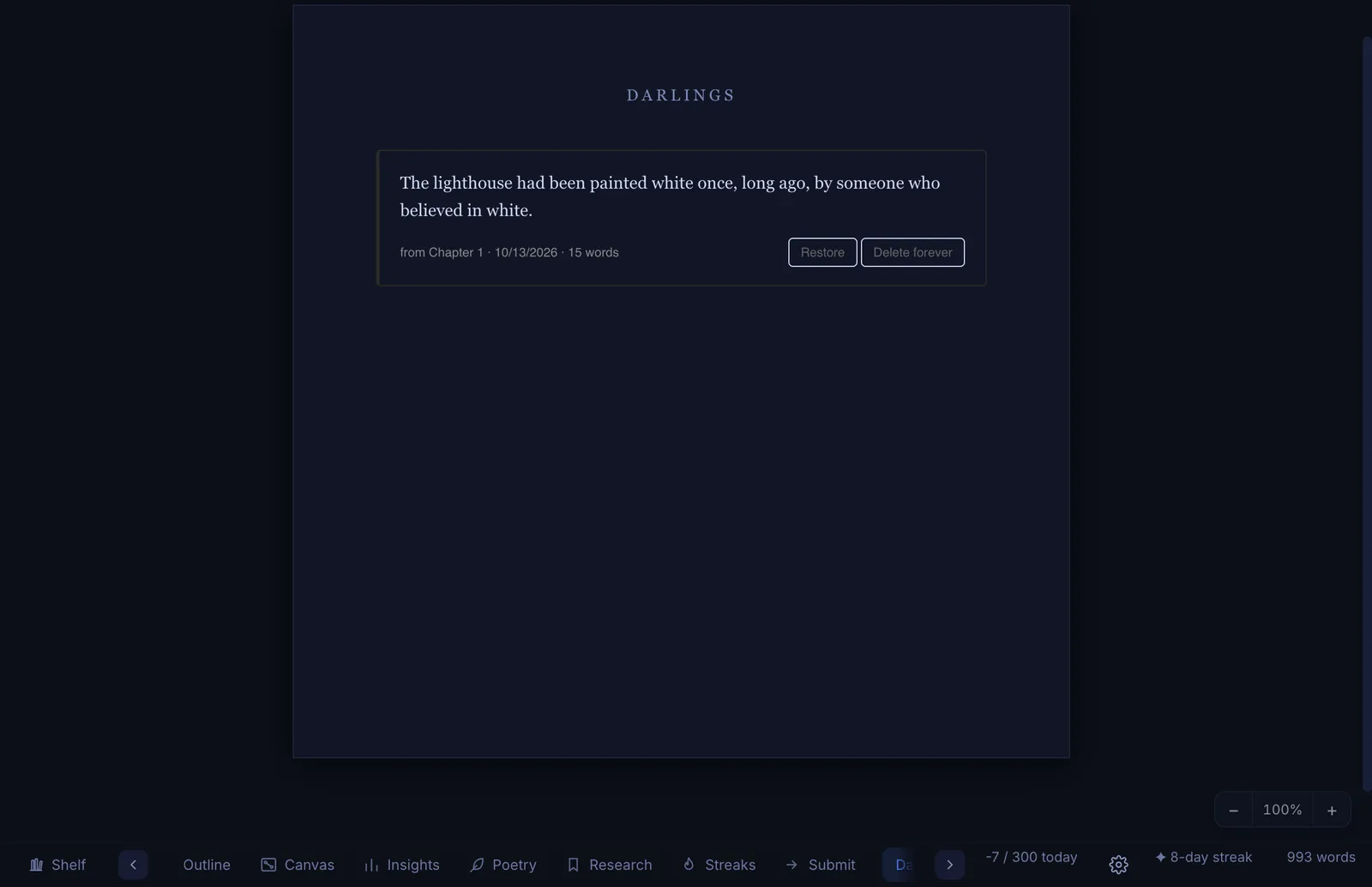
Your outline grows from the chapters you write. The sentences you love but have to cut go to Darlings, where you can bring them back or let them go for good.

  • Add, reorder and summarise chapters in one place
  • Nothing you cut is lost until you say so
The outline page listing each chapter with a one-line summary
The Darlings page holding a sentence cut from chapter one, with Restore and Delete forever buttons

Atmosphere

Write in the right atmosphere

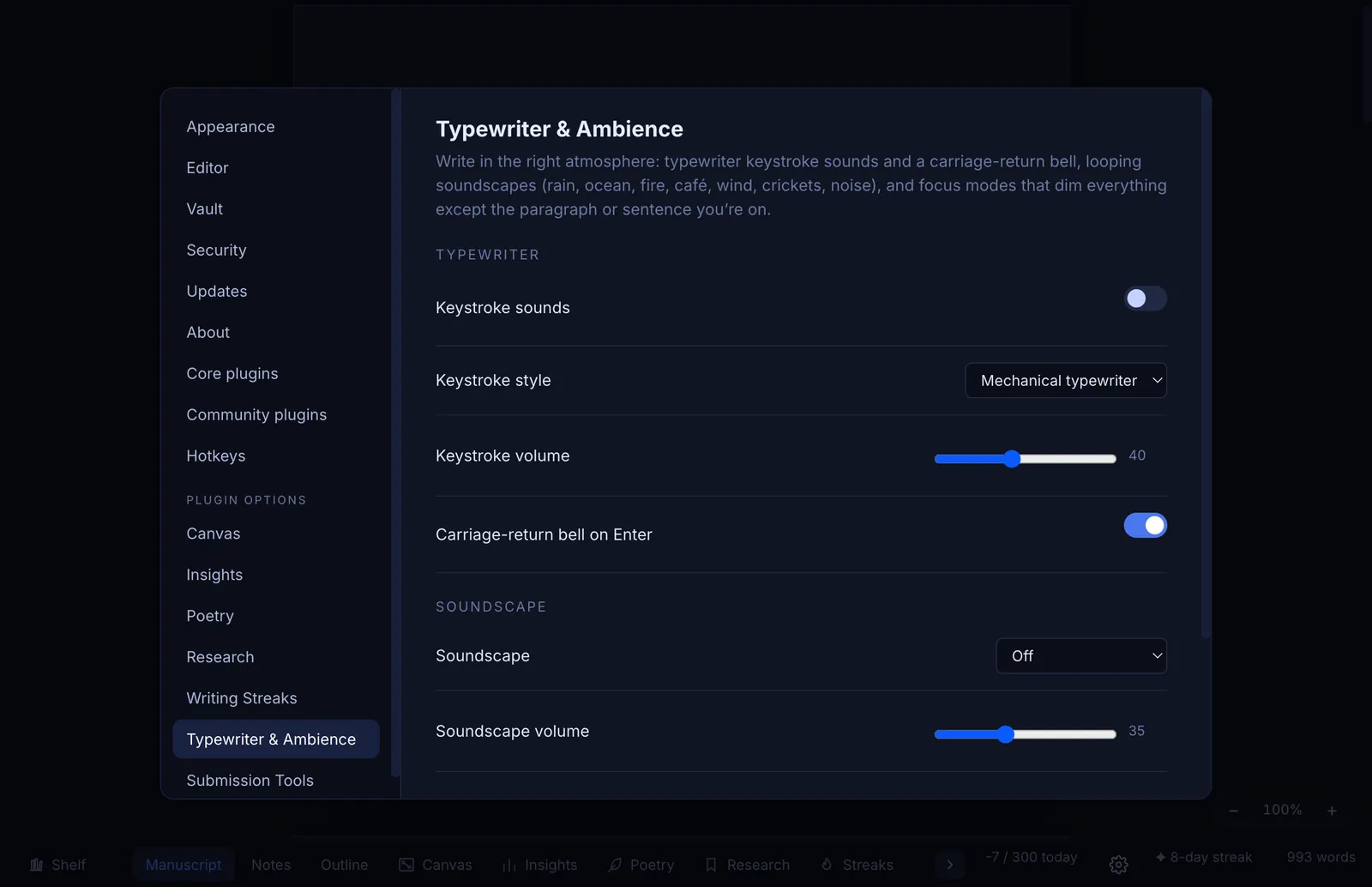
Switch on typewriter keystroke sounds and a carriage-return bell, or a soft soundscape of rain, ocean, fire or a café. Focus modes dim everything except the paragraph or sentence you are on.

  • All sounds are made inside the app, nothing to download
  • Off by default, one toggle to change
Typewriter and Ambience settings: keystroke sounds, carriage-return bell and soundscapes

Plan

Plan it, map it, gather it

Give your plot, your characters and your sources a place of their own.

Canvas

A canvas for plots, characters and mess

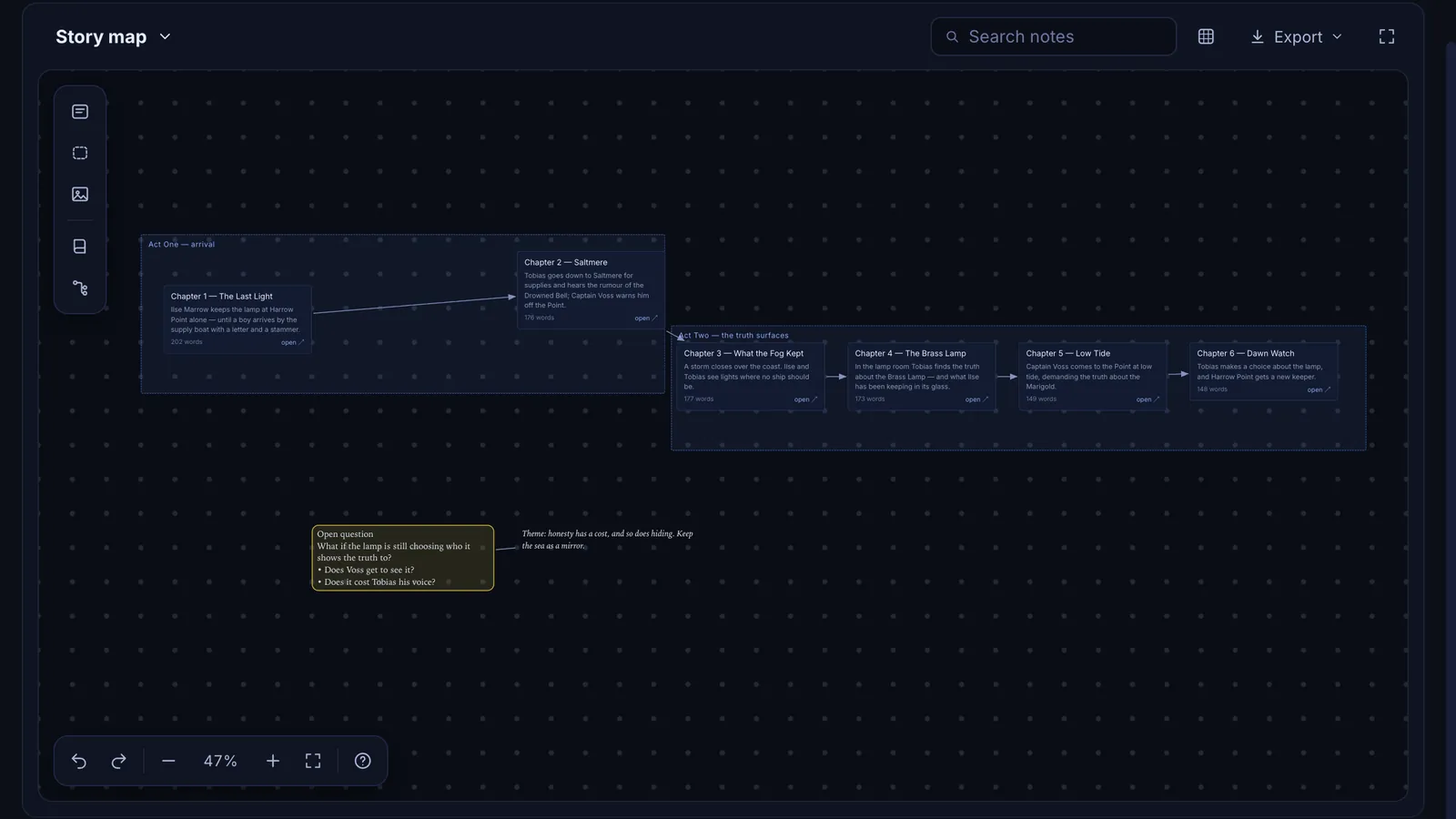
Drop notes anywhere, connect them with lines, group them on shapes and drag a scene straight into a chapter. Scene notes open the chapter they belong to.

  • Align, group and stack, with full undo
  • Paste an outline and it grows into a connected tree
The Sapphire canvas: a story map with connected chapter notes grouped into two acts

Canvas, your way

Your canvas, your grid

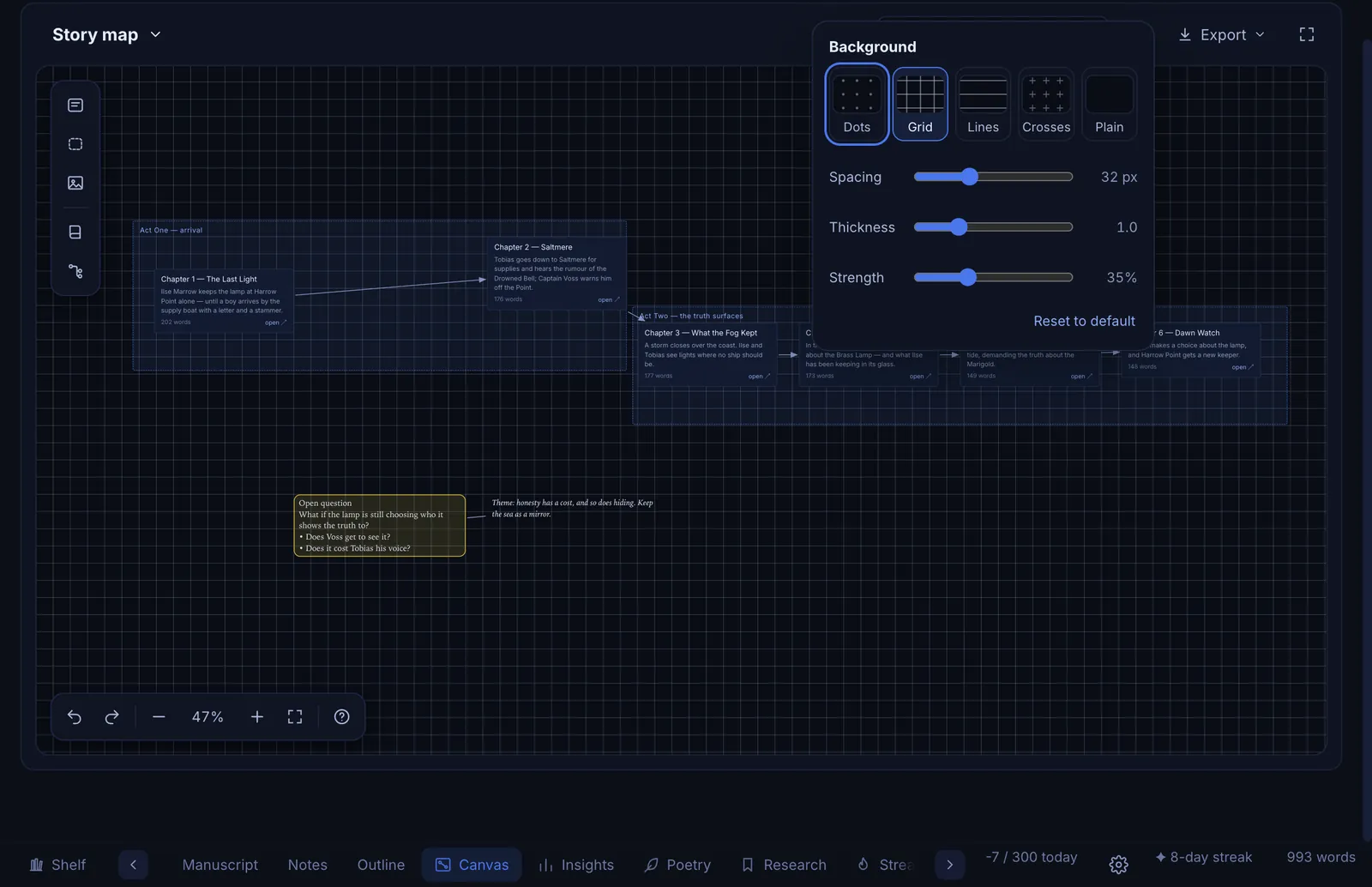
Choose dots, a grid, lines or crosses behind your notes, as fine or as bold as you like, and see the change as you drag the sliders. When you are done, export the whole canvas.

  • Spacing, thickness and strength are all adjustable
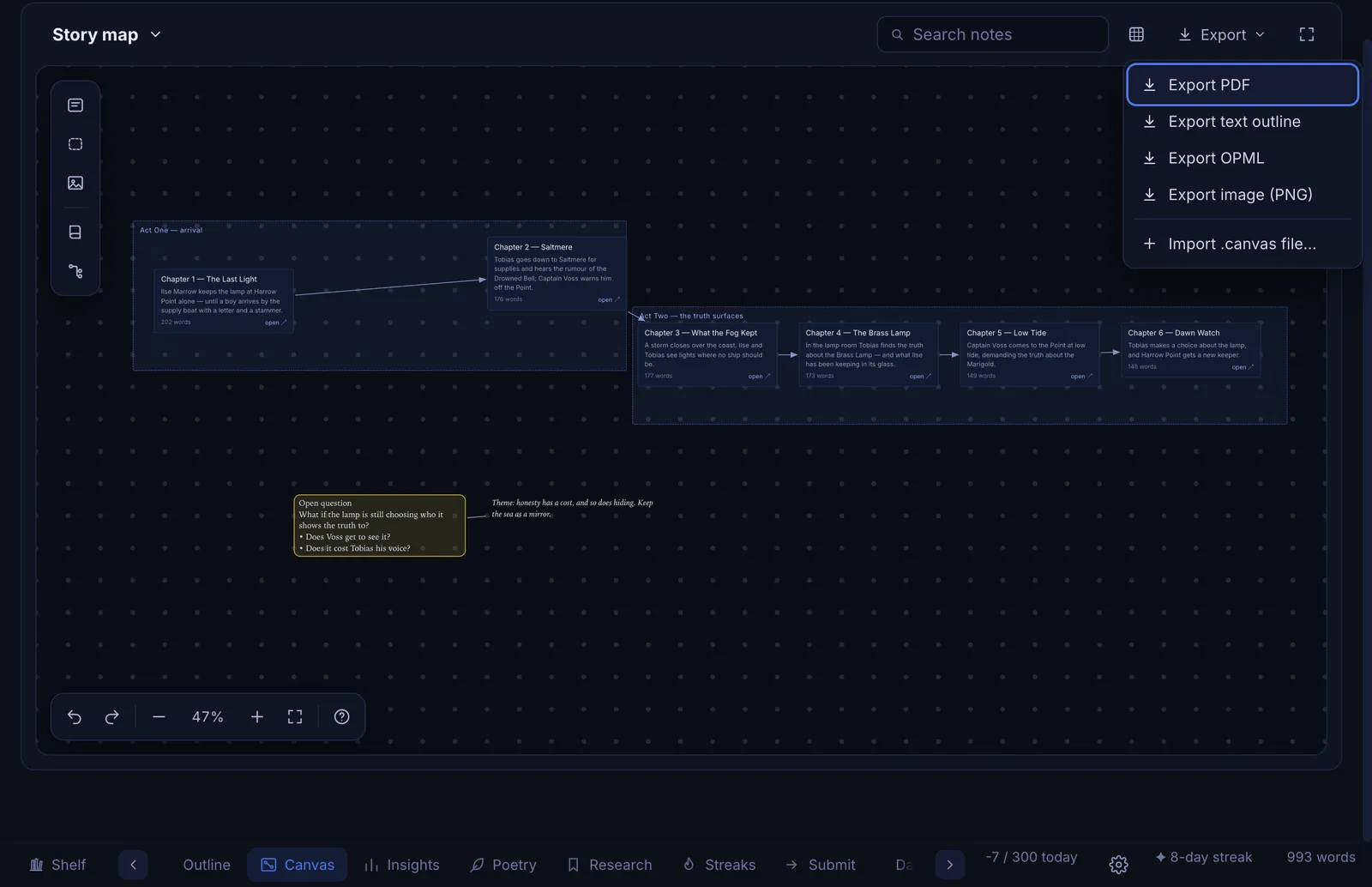
  • Export as PDF, a PNG image, a text outline or OPML
The canvas background panel with dots, grid, lines, crosses and plain, and sliders for spacing, thickness and strength
The canvas Export menu with PDF, text outline, OPML and image options

Research

Research beside the draft

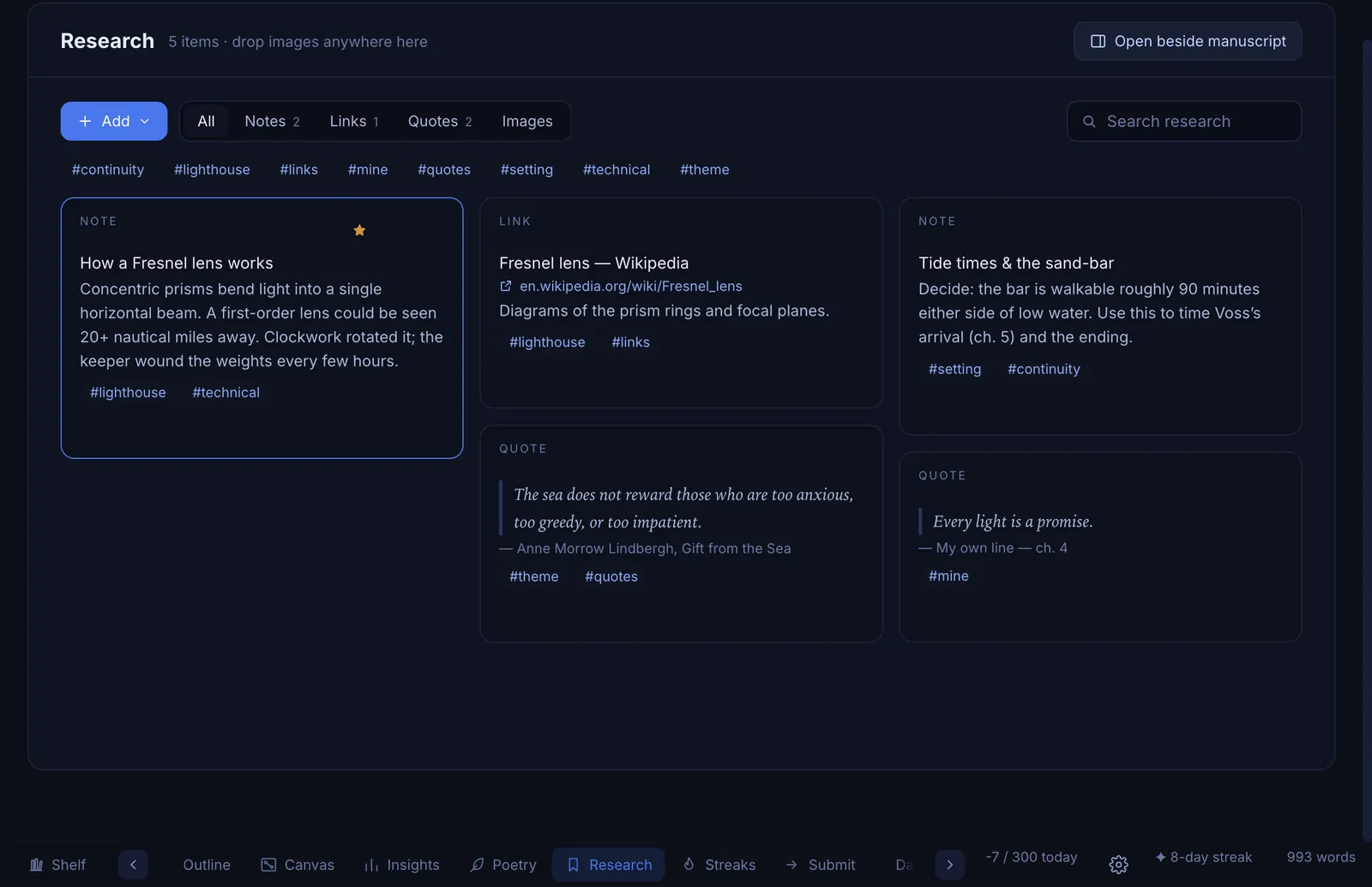
Keep notes, links, quotes and images in a board tied to the book they belong to. Tag them, search them, and open the board beside your manuscript while you write.

  • Drop images anywhere on the board
  • Filter by type or tag
The Research board with notes, links, quotes and images, filtered by tags

Poems

Poems get their own studio

Short work deserves a quiet room of its own.

Poems studio

A calm place for poems

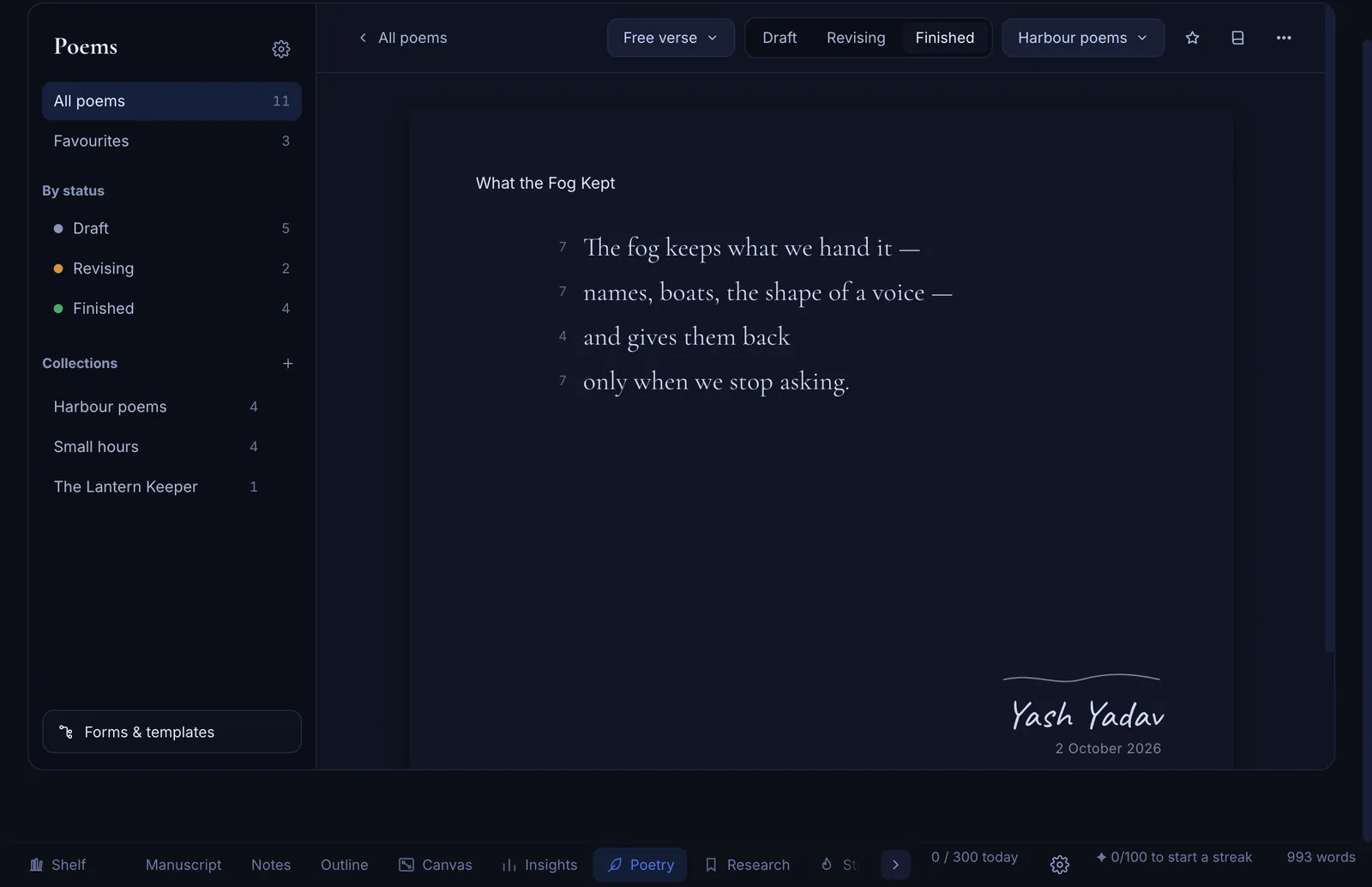
A library of every poem you have written, sorted by status and gathered into collections for your chapbooks. Each poem sits on a clean page with a signature of your own at the foot.

  • Draft, revising and finished, plus favourites
  • Print a chapbook as a PDF
A free verse poem on a quiet page with a handwritten signature

Forms and templates

More than twenty forms, each with a guide

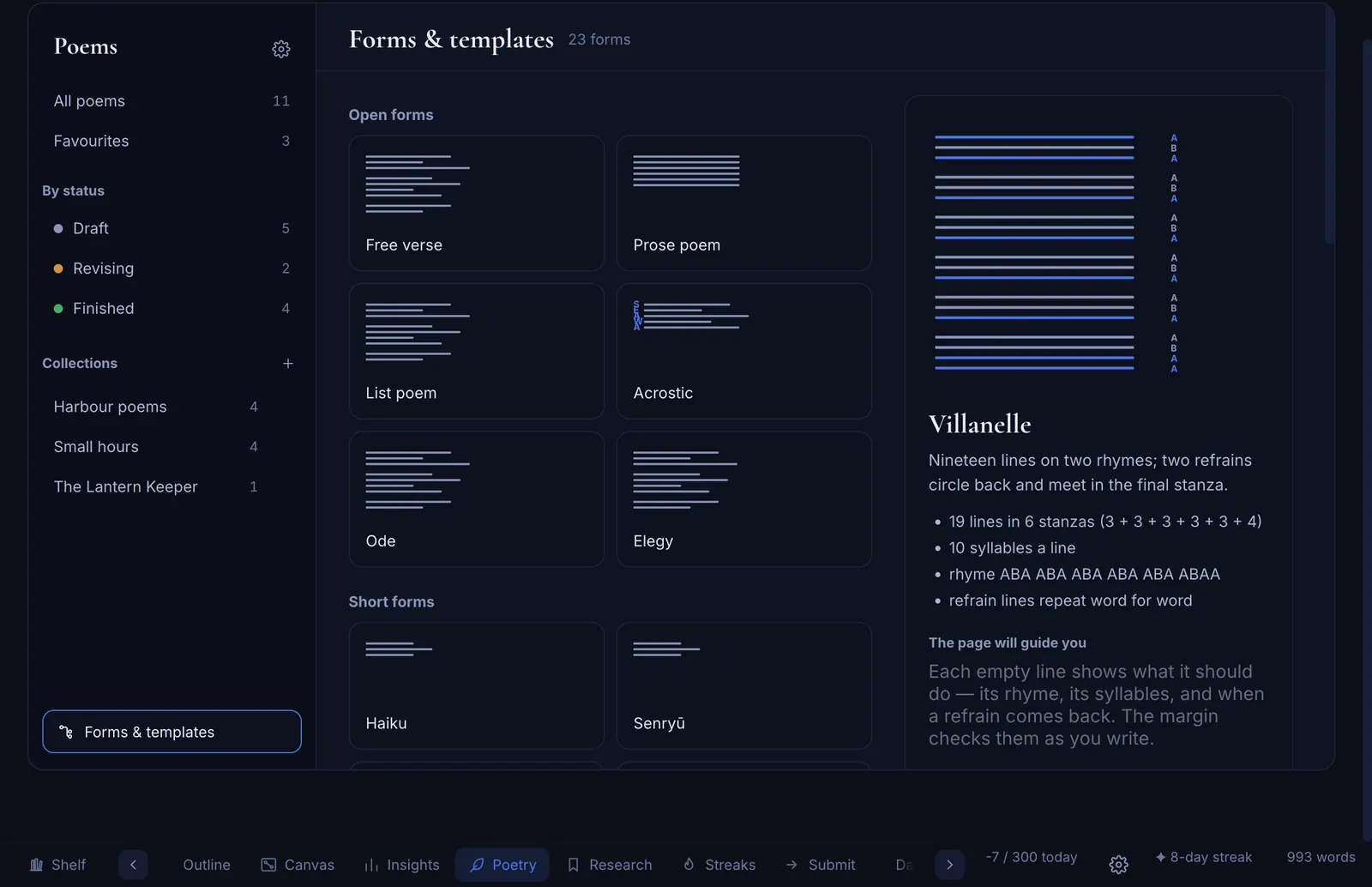
Sonnet, haiku, villanelle, ghazal, pantoum and more. Every form shows its shape, and the margin checks the syllables and refrains as you write.

  • A diagram and a short guide for every form
  • Start from a template or a blank page
Forms and templates: poem forms with shape diagrams and a guide for the villanelle

Progress

See how it is going

A private, honest look at the work, with no scores and no sharing.

Insights

Read your own manuscript

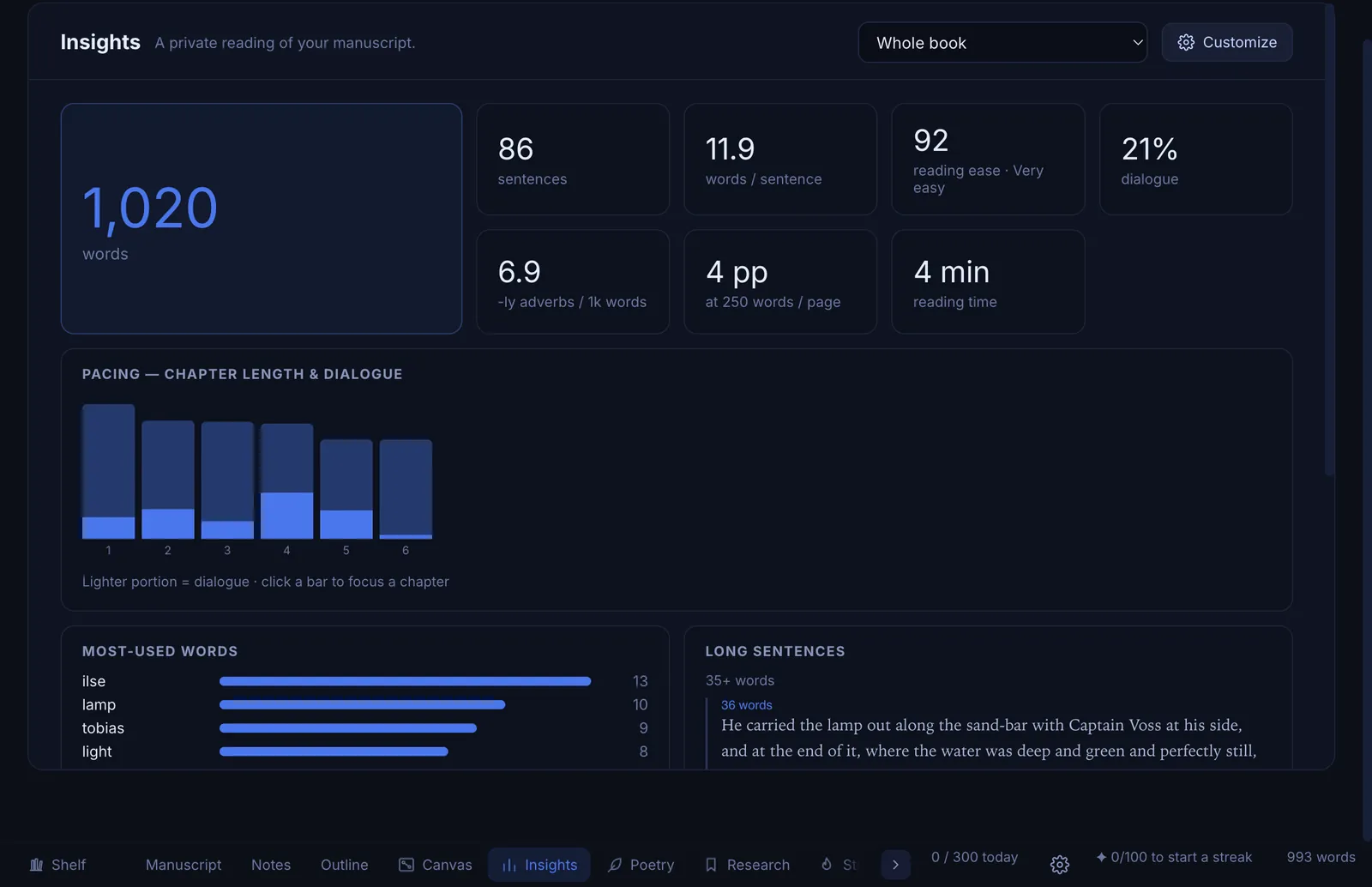
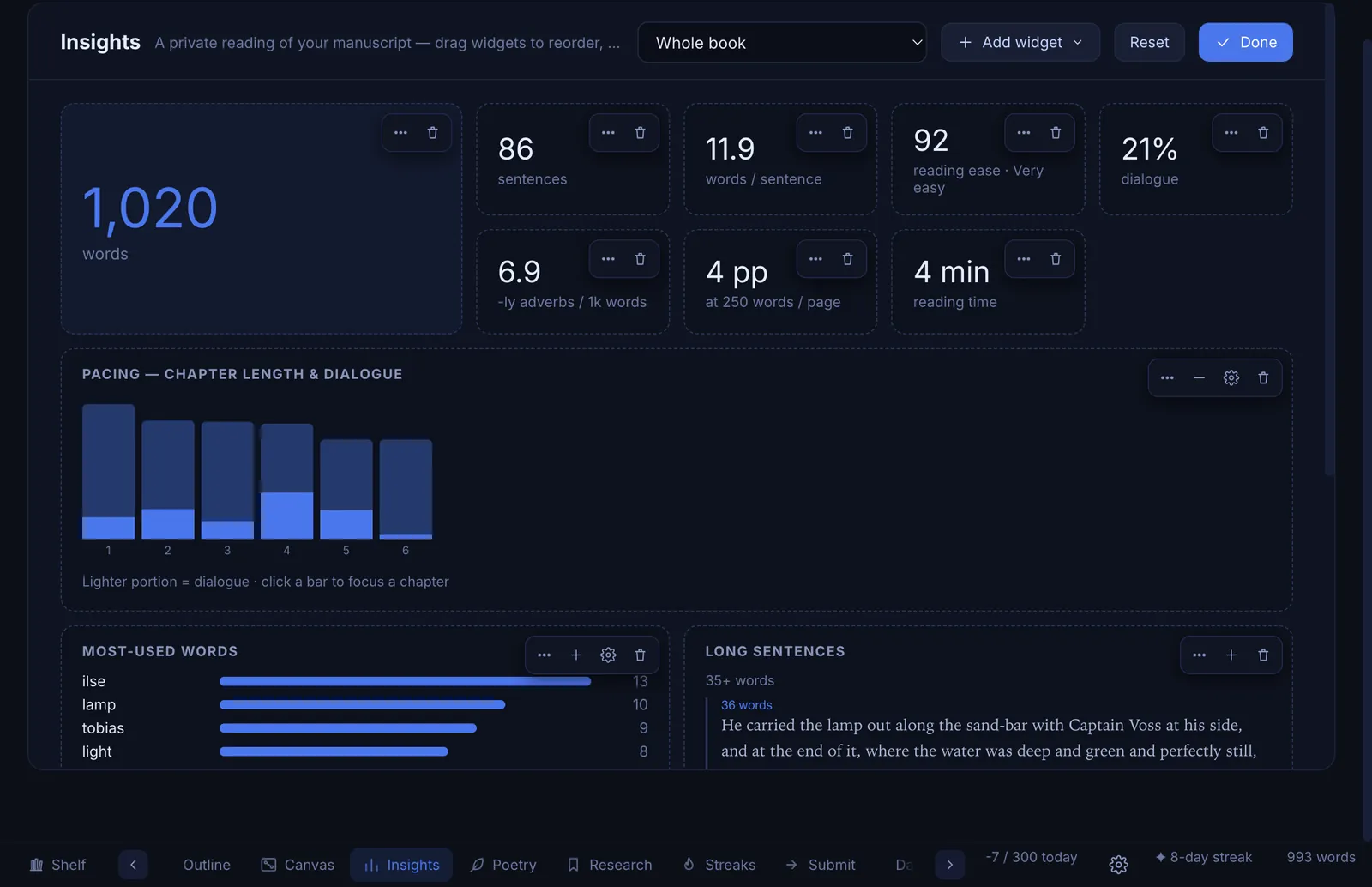
See your pacing across chapters, how easy the writing is to read, the words you lean on and the sentences that run long. Make the dashboard yours: add, move, resize or remove any chart.

  • Whole book or one chapter at a time
  • Nothing leaves your computer
The Insights dashboard with word count, readability, a pacing chart and most-used words
Insights in customise mode, with controls to add, move, resize and remove each chart

Streaks

A quiet record of the days you wrote

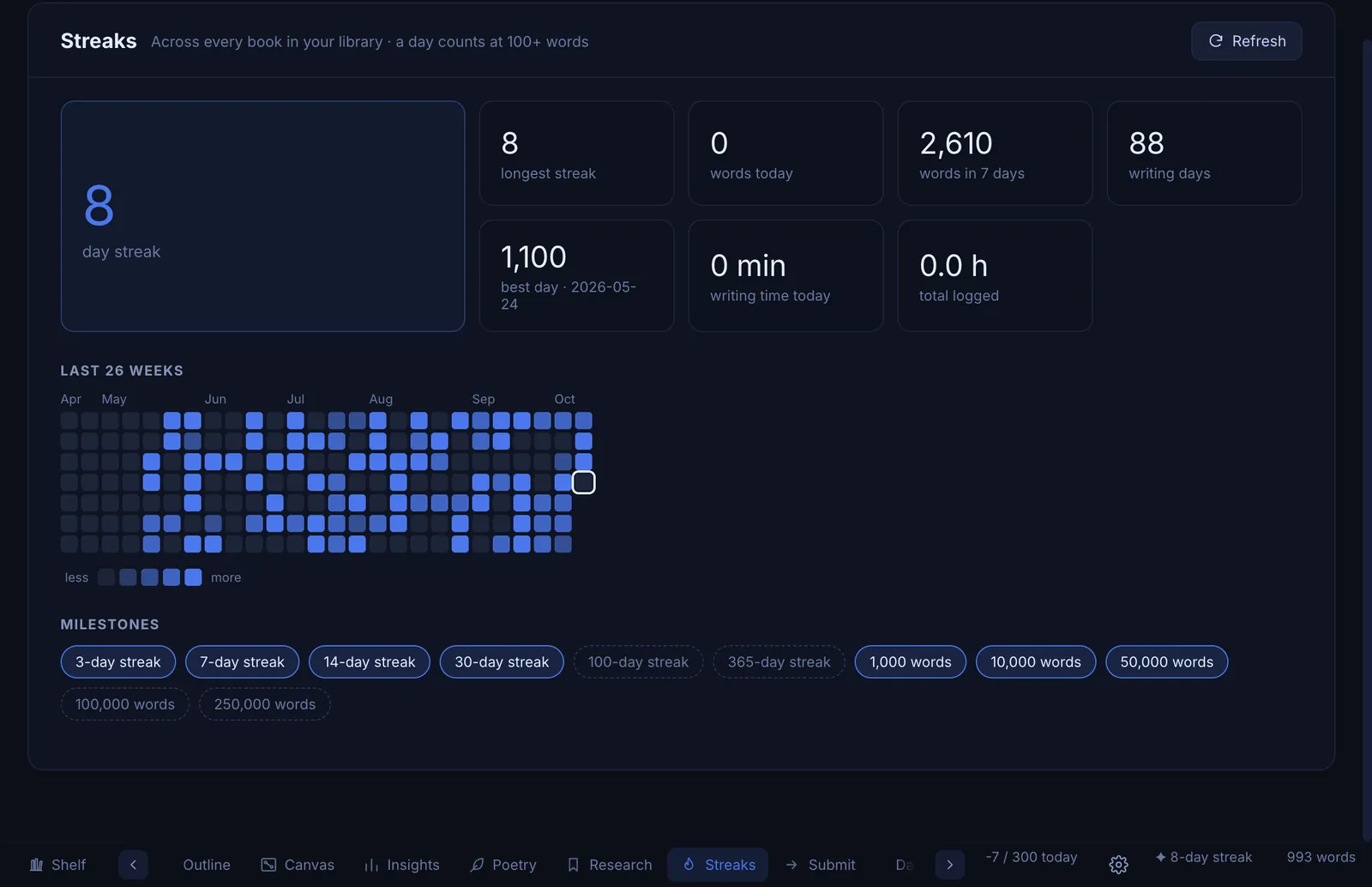
A heatmap of the last 26 weeks, your current and longest streaks, and milestone badges for the words you have put down. No guilt and no notifications.

  • Counts across every book in your vault
The Streaks page with a 26-week heatmap, current streak and milestone badges

Submissions

Query letters and synopses, ready to send

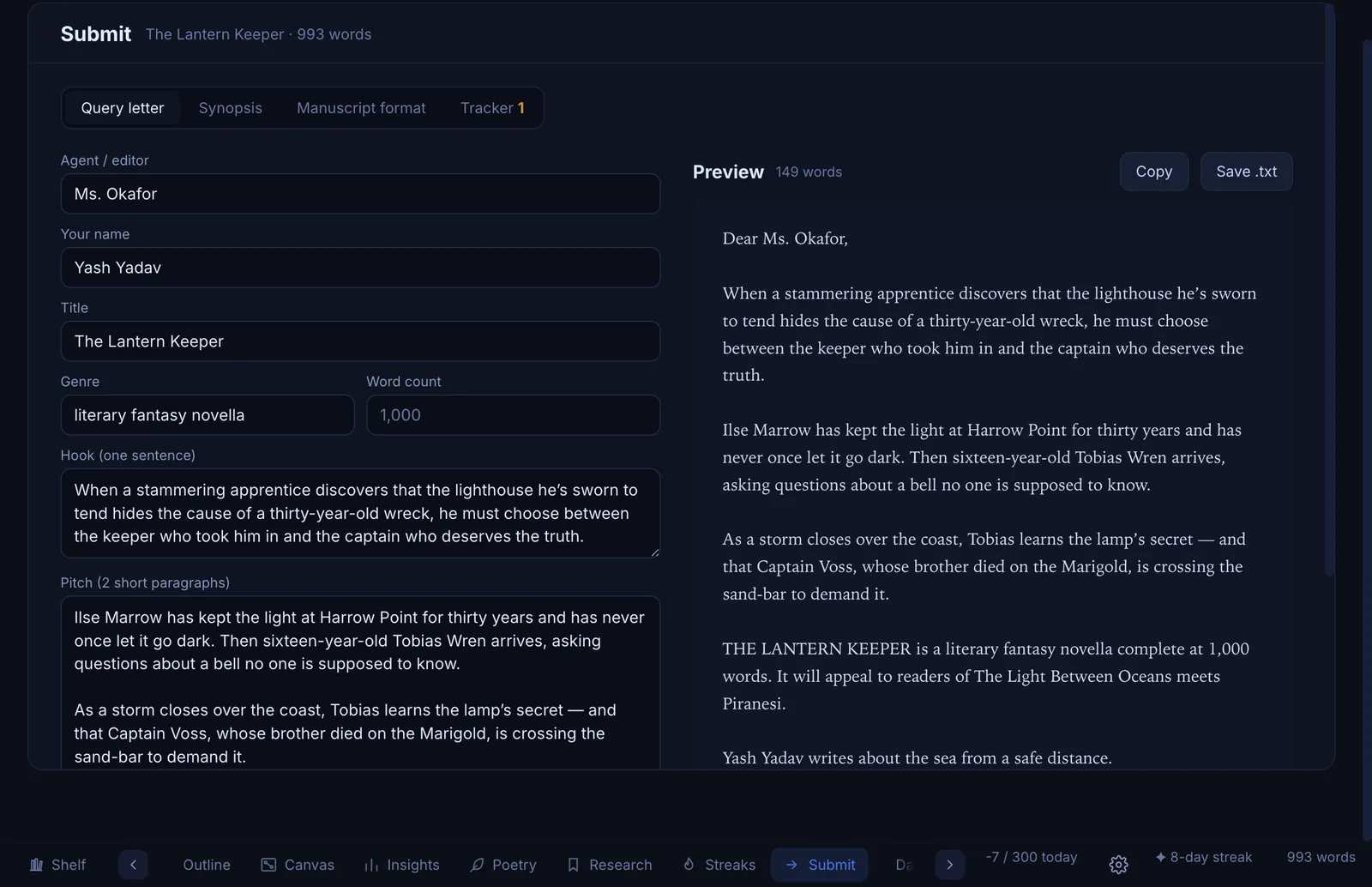
Fill in a few fields and Sapphire writes the letter beside you. Prepare a synopsis, a manuscript format sheet and a tracker for who you sent what to.

  • Copy to your email or save as a text file
The Submissions page with a query letter form and a live preview

Yours

Make it yours

Looks and keys that fit how you write.

Themes

Looks the way you like to write

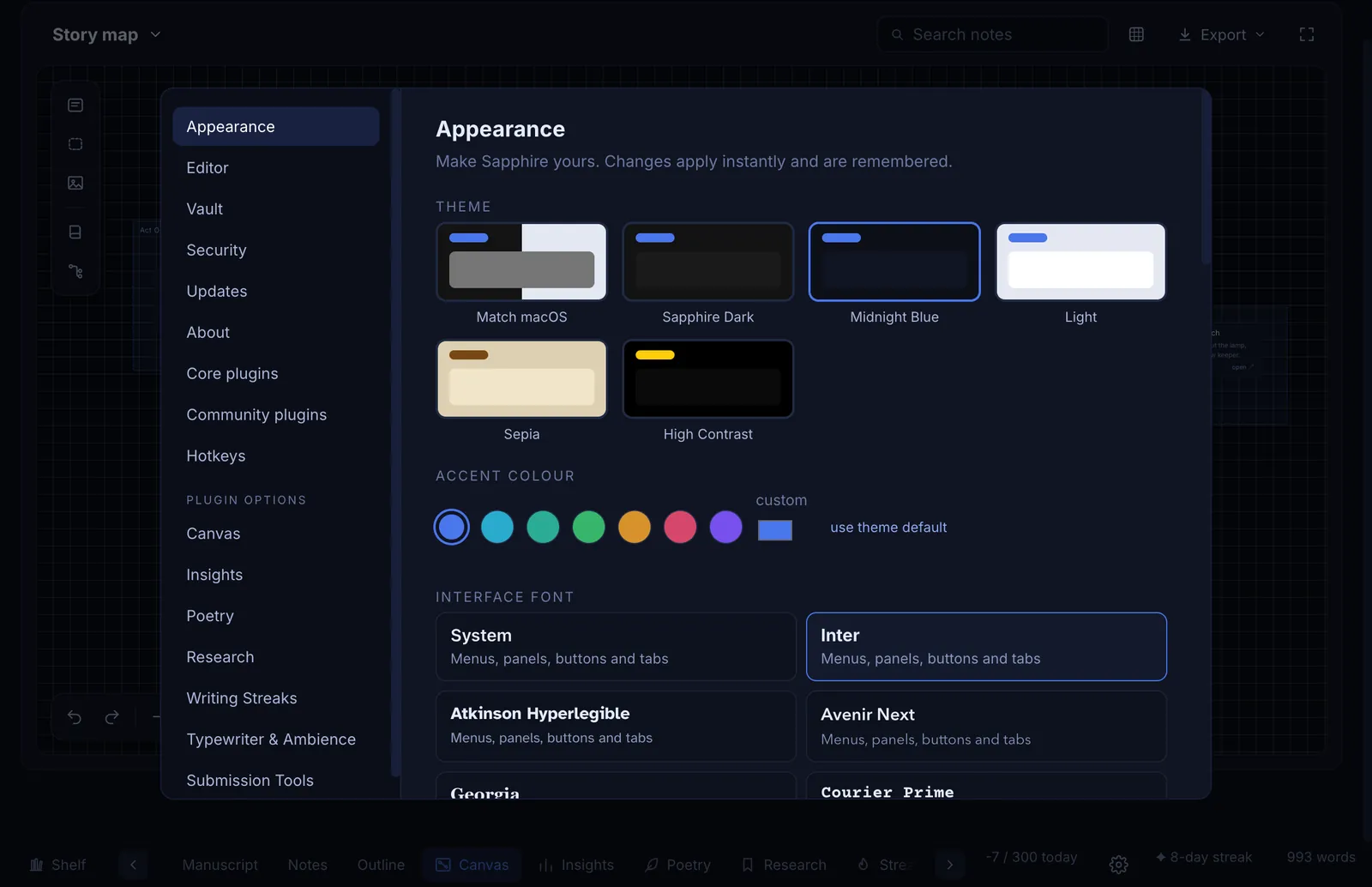
Light, dark, sepia, midnight blue or high contrast, with an accent colour and an interface font of your choice. The page can follow the theme or stay on paper.

  • Six themes and many accent colours
  • Interface and body fonts, all built in
Appearance settings with six themes, accent colours and interface fonts
The bookshelf in the light sepia theme with a green accent

Hotkeys

Every shortcut is yours

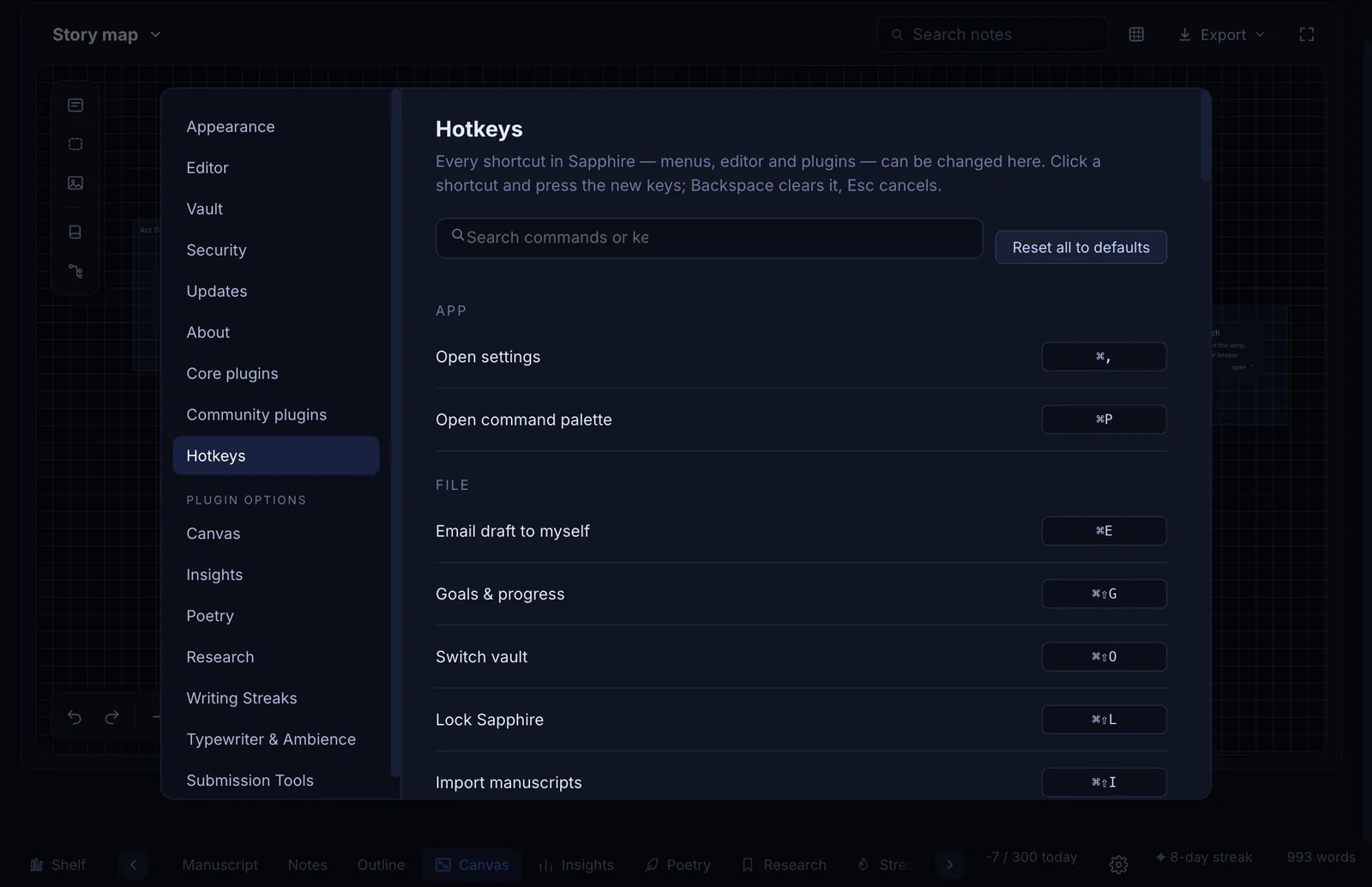
Every command in Sapphire has a shortcut you can change, from the menus to the studios. Search for a command, click, press the keys you want.

  • Search all commands
  • Reset one or all to the defaults
The Hotkeys page listing every command with an editable shortcut

Plugins

Every studio is a plugin

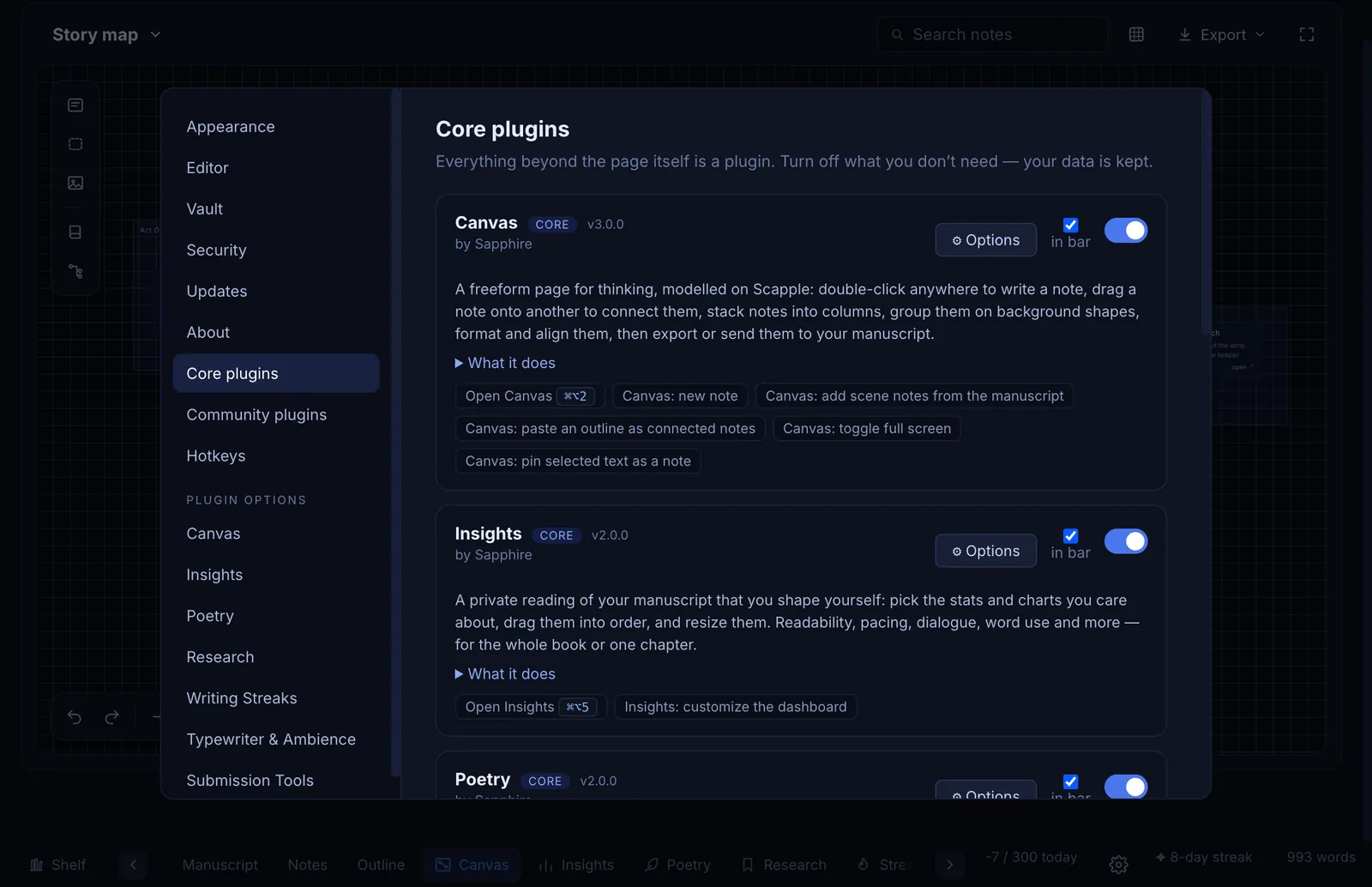
Canvas, Insights, Poems and the rest are plugins you can switch off. Turn off what you do not use and the app gets quieter.

  • Your data is kept when you switch one off
Core plugins page where each studio can be turned on or off

Private

Yours, and kept safe

Sapphire has no accounts and no cloud. It cannot read your writing because it never leaves your computer.

Vaults

A vault you choose

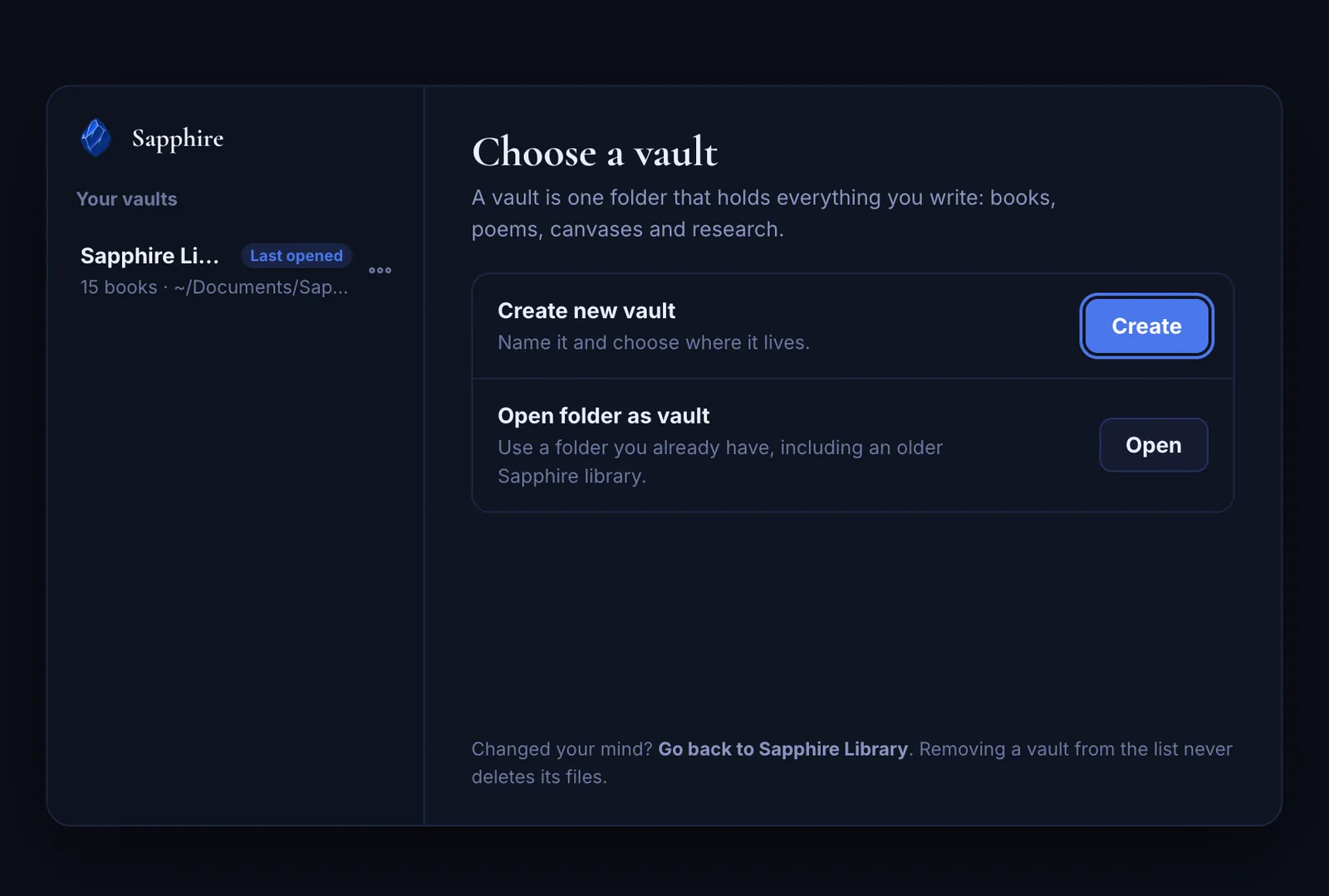
The first time you open Sapphire you choose a folder, a vault. Everything is saved there in tidy, named folders: Books (one folder per book, one Markdown file per chapter), Poems, Outline, Canvas, Research and Exports. Open any of it in any app, with a daily backup and a safety copy before every update. Switch between vaults whenever you like.

  • Back up, sync or move it like any folder
  • Older Sapphire libraries are arranged for you, after a backup
The vault chooser: create a new vault or open a folder, with your vaults listed on the left

Passcode lock

A passcode for a shared computer

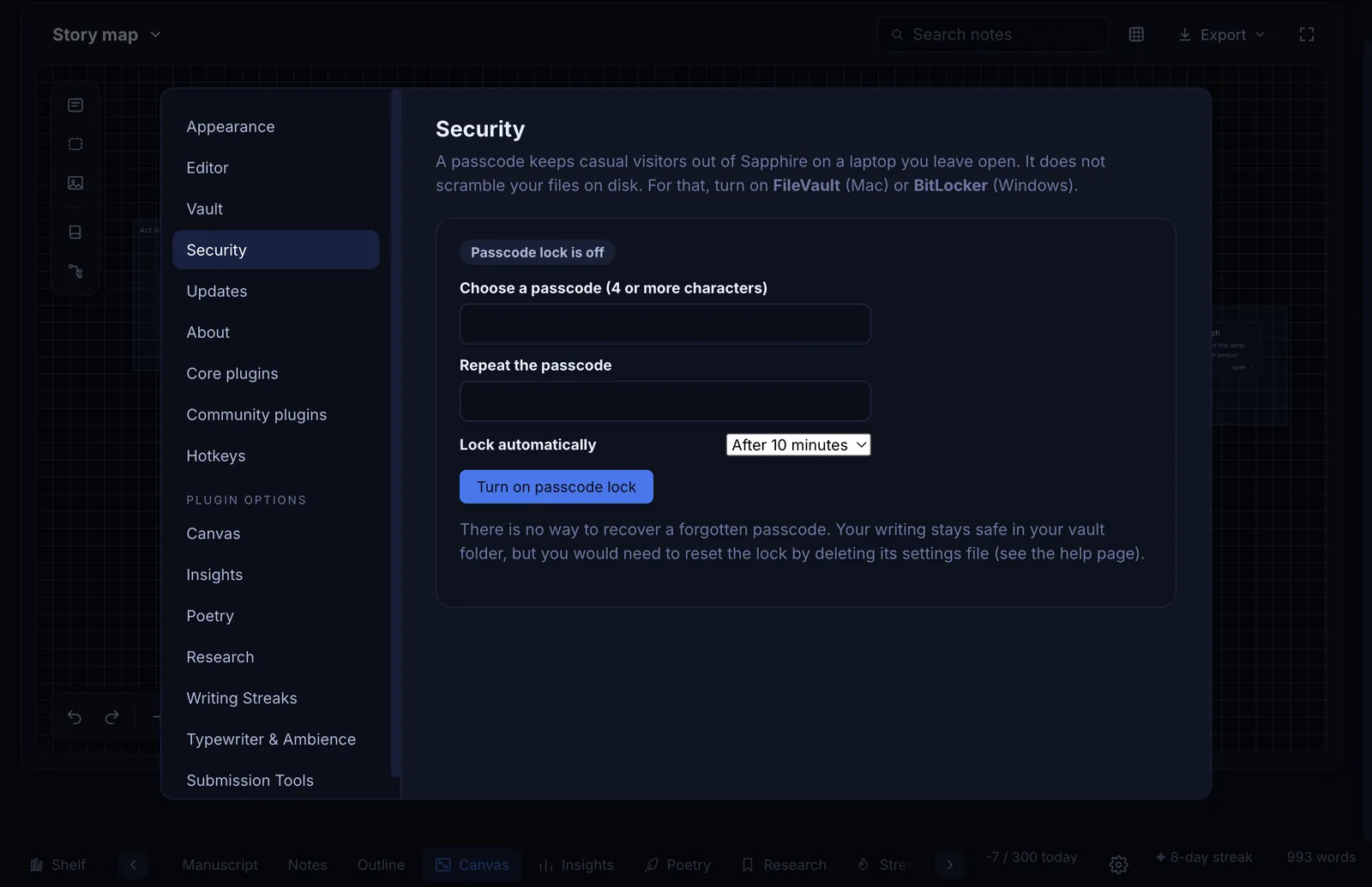
Turn on a passcode and Sapphire locks itself after the time you choose. Wrong guesses slow down, and the lock holds even if someone tries to get around the screen.

  • Auto-lock after 1 minute to 1 hour
  • For full disk protection, use FileVault or BitLocker
Security settings for turning on a passcode lock with auto-lock

Download

Get Sapphire

Free for Mac, Windows and Android. No sign-up.

Mac

Apple Silicon and Intel. macOS 12 or later.

Download for MacSapphire-mac.dmg

Windows

Windows 10 and 11, 64-bit.

Download for WindowsSapphire-Setup.exe

Android

Android 6 and newer. Phones and tablets.

Download for AndroidSapphire-android.apk

First time opening it?

Sapphire is new and independent, so your computer or phone asks you to confirm it once. This is normal and takes a few seconds.

On a Mac
  1. Open the downloaded Sapphire-mac.dmg and drag Sapphire into Applications.
  2. Open Sapphire. If your Mac says it cannot verify the app, click Done, then go to System Settings, Privacy & Security, scroll down and click Open Anyway.
  3. On older macOS, right-click Sapphire, choose Open, then Open again.
On Windows
  1. Run Sapphire-Setup.exe.
  2. If Windows says "Windows protected your PC", click More info, then Run anyway.
  3. Follow the installer. It installs for your user only and needs no administrator.
On Android
  1. Download Sapphire-android.apk and tap it to open. It needs Android 6 or newer.
  2. If your phone says it cannot install apps from this source, tap Settings, allow it for your browser or file manager, then go back and tap Install.
  3. If Play Protect shows "Unrecognised app developer", tap More details, then Install anyway.
  4. Your library is saved in the Android/media/com.yashyadav.sapphire/Sapphire folder on your phone. It stays when you update the app. Open it in your Files app, or copy that folder to a computer to back it up. You can also move it from Settings, then Vault.
  5. To share or print your work, open a book, tap the menu, then Export book. Choose Word, PDF, EPUB, Markdown, text or a web page. Canvas and Poems have their own Export buttons.
  6. While writing, tap the page with two fingers to drop a placeholder note, a “come back to this” mark that never breaks your flow. On the bookshelf, use the search box and the view button to switch between shelves, a compact grid and swipe rows.
How do updates work?

Sapphire checks for new versions now and then. On Windows it downloads and installs the update by itself when you quit. On a Mac it tells you a new version is ready and opens this page. On Android, download the newest Sapphire-android.apk and install it over the old one. Before any update, Sapphire saves a safety copy of your vault.

Checking your download

Each release lists SHA256 checksums on the releases page. Compare yours if you like.

Questions

Good to know

Is Sapphire really free?

Yes. Every feature is free, with no trial and no account. If it helps your writing you can support it below, and that is always optional.

Does it need the internet?

No. Sapphire works fully offline. It only goes online to check whether a new version is available.

Where is my writing stored?

In a folder on your computer called a vault, which you choose the first time you open Sapphire. Inside it are folders named Books, Poems, Outline, Canvas, Research and Exports. Each book is a folder named after it, with every chapter as its own Markdown (.md) file, and each poem is a file too, so you can read, back up or move them yourself. The Android app uses the same folders.

Can I move to another computer?

Yes. Copy the vault folder to the new computer, install Sapphire there and choose "Open folder as vault".

Can I export my work?

Yes: plain text, Markdown, web page, PDF, Word and EPUB, and you can import existing manuscripts.

Is the source code open?

No. Sapphire is free to use for your own writing but it is not open source, and it may not be copied or redistributed. See the licence that comes with the app.

I found a problem or have an idea

Please tell us. Writers shape what Sapphire becomes.

Support

Sapphire is free

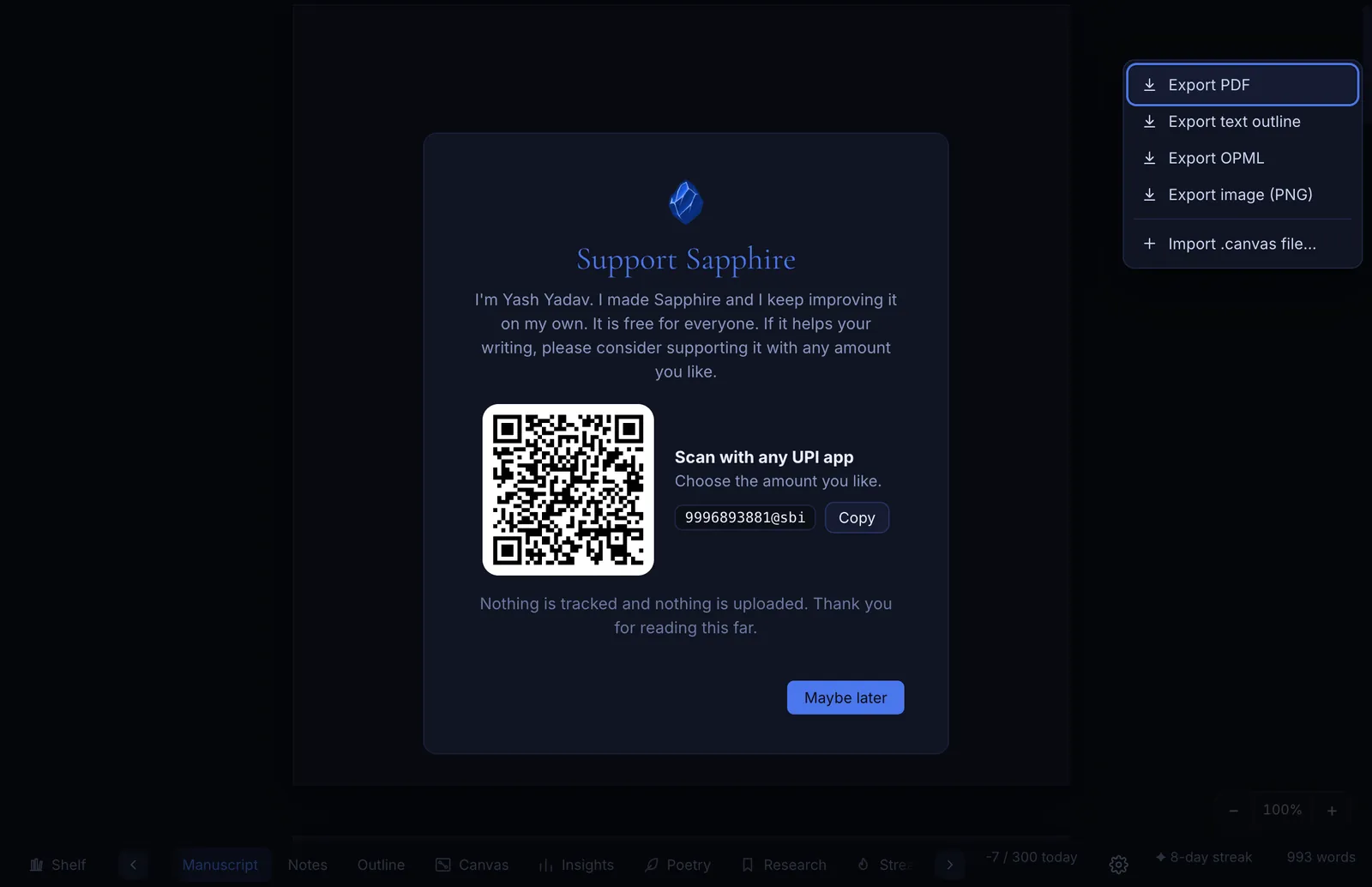
I made Sapphire and keep improving it on my own. If it helps your writing, you can support it with any amount you like. It is always optional.

UPI 9996893881@sbi

Inside Sapphire you can also scan a QR code from the Support button.

The Support Sapphire page with a QR code to pay by UPI

Ready to write?

Download Sapphire and start your first book in a minute.

Applications open

Make your team AI-native, on your own work.

AI agents built for your enterprise, plus hands-on training for leaders and teams, all around your real workflows in operations, marketing and sales.

  • Custom AI agents for your enterprise
  • Leadership and role-based team training
  • AI automations you keep
Book a free session
A trainer leading a team workshop with sticky notes on a wall

Tell us about your team

A few quick details. We reply within one business day with clear next steps.